Author: Razib

  • How to Track a Cell Phone Location Without Installing Any Software

    How to Track a Cell Phone Location Without Installing Any Software

    You need to locate a phone, but you can’t physically access it to install tracking software. Maybe you’re trying to find a lost device, verify someone’s location with their permission, or reunite a found phone with its owner. The good news? Modern smartphones come packed with built-in tracking capabilities that work right out of the box.

    The reality is that most phones are already tracking themselves through manufacturer services, carrier networks, and cloud accounts. You just need to know how to access this information legally and ethically.

    Understanding No-Installation Phone Tracking

    Tracking a phone without installing software relies on existing systems already running on the device. Every smartphone constantly communicates with cell towers, GPS satellites, and internet services. These communication channels create a digital footprint you can access through legitimate means.

    The key difference between traditional tracking apps and no-installation methods is simple: you’re using features that came pre-installed by the manufacturer or carrier, rather than adding third-party software.

    Info: All tracking methods discussed here require either the phone owner’s consent or legal authorization. Unauthorized phone tracking is illegal in most jurisdictions and can result in serious criminal charges.

    Method 1: Using Built-In Manufacturer Services

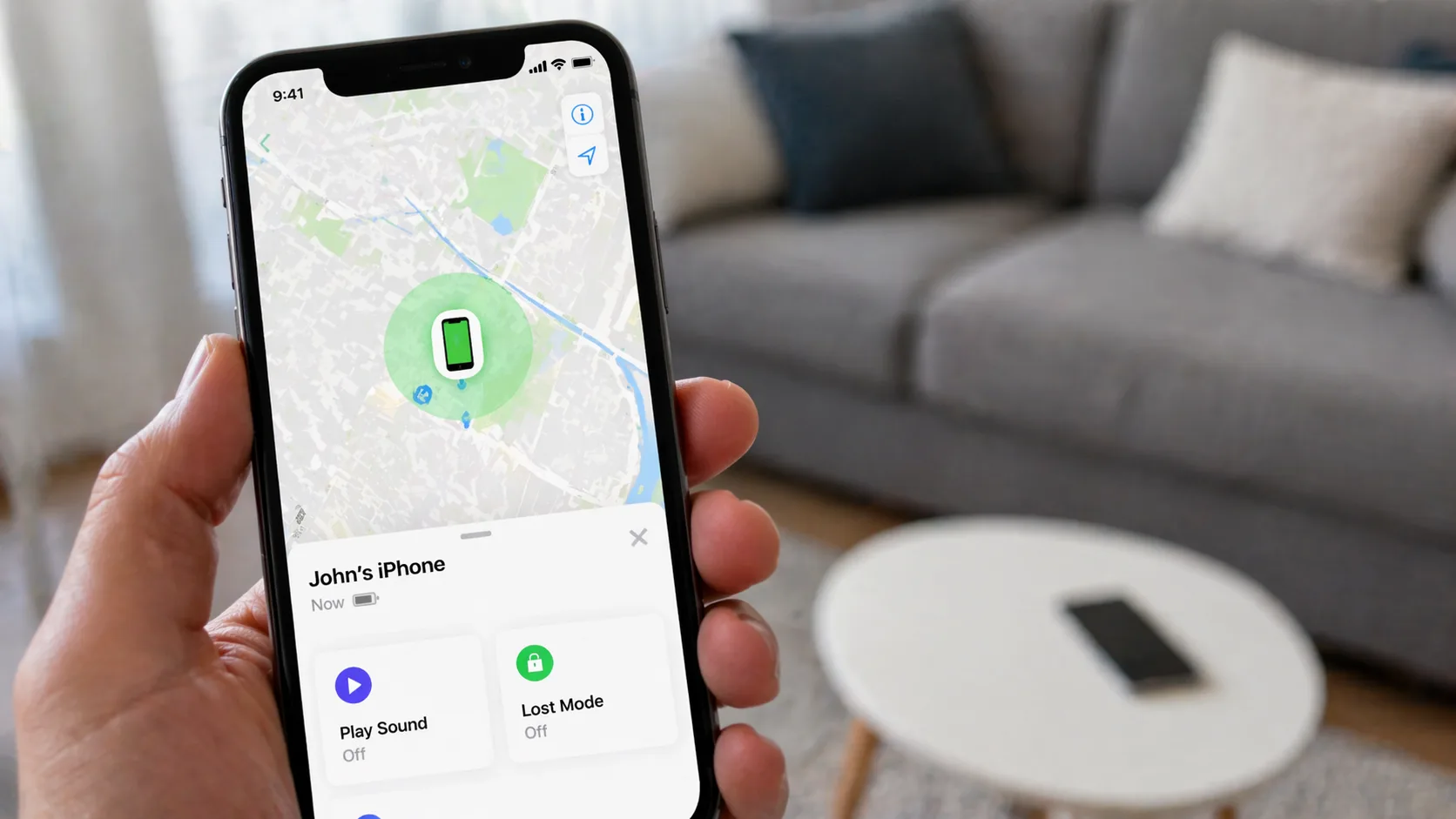
    Find My iPhone for iOS Devices

    Apple’s Find My system is automatically enabled on most iPhones with iOS 13 or later. Here’s how to access it:

    1. Visit icloud.com/find from any web browser
    2. Sign in with the Apple ID linked to the target device
    3. Click “All Devices” at the top of the screen
    4. Select the iPhone you want to locate
    5. View the current location on the map

    The system shows you the phone’s location within 20-30 feet accuracy when GPS is active. If the phone is offline, it displays the last known location with a timestamp.

    What you can do remotely:

    • Play a sound (useful if the phone is nearby)
    • Enable Lost Mode to lock the device
    • Display a custom message on the lock screen
    • View battery percentage
    • See movement history (when the phone was at different locations)

    Find My Device for Android

    Google’s Find My Device works similarly but requires the phone to be signed into a Google account:

    1. Go to android.com/find on any browser
    2. Log in with the Google account used on the target phone
    3. Select the device from the list if multiple devices are registered
    4. View the location, battery level, and connection status

    Android’s system updates location every few minutes when the phone is connected to the internet. The accuracy ranges from 15 feet indoors to 50 feet outdoors, depending on whether GPS, WiFi, or cellular triangulation is being used.

    Pros:

    • Already installed on devices—no setup needed
    • Free to use with existing accounts
    • Works across different devices (phone, tablet, laptop)
    • Includes security features like remote lock and erase
    • Legal and approved by manufacturers

    Cons:

    • Requires knowing the account credentials
    • Phone must have battery power and internet connection
    • Location services must be enabled (usually on by default)
    • Can’t view historical location data beyond recent movements

    Method 2: Carrier-Based Location Services

    Mobile carriers track every phone on their network for network optimization and emergency services. You can access this data through official carrier programs.

    AT&T Secure Family

    AT&T offers location tracking for up to 10 devices on your account for $7.99/month. The service shows:

    • Real-time location updates
    • 30 days of location history
    • Arrival and departure alerts for specific locations
    • Drive monitoring (speed, routes, stops)

    Access through the Secure Family app or website using your AT&T account credentials.

    Verizon Smart Family

    Verizon’s service costs $4.99/month for one line or $9.99/month for up to 20 lines. Features include:

    • Current location with address information
    • Check-ins when family members arrive at saved places
    • Location history for the past 30 days
    • Driving speed and route tracking

    T-Mobile FamilyWhere

    T-Mobile charges $9.99/month for up to 10 lines. The platform provides:

    • Location updates every 5 minutes when active
    • Schedule-based location checks
    • Breadcrumb trail showing movement patterns
    • Location alerts for specific areas
    Carrier ServiceMonthly CostDevices TrackedHistorical Data
    AT&T Secure Family$7.99Up to 1030 days
    Verizon Smart Family$9.99Up to 2030 days
    T-Mobile FamilyWhere$9.99Up to 10Not specified
    Sprint Safe & Found$5.99Unlimited7 days

    Important requirement: You must be the primary account holder or have authorization from the account holder to use these services. Carriers verify your identity before enabling tracking.

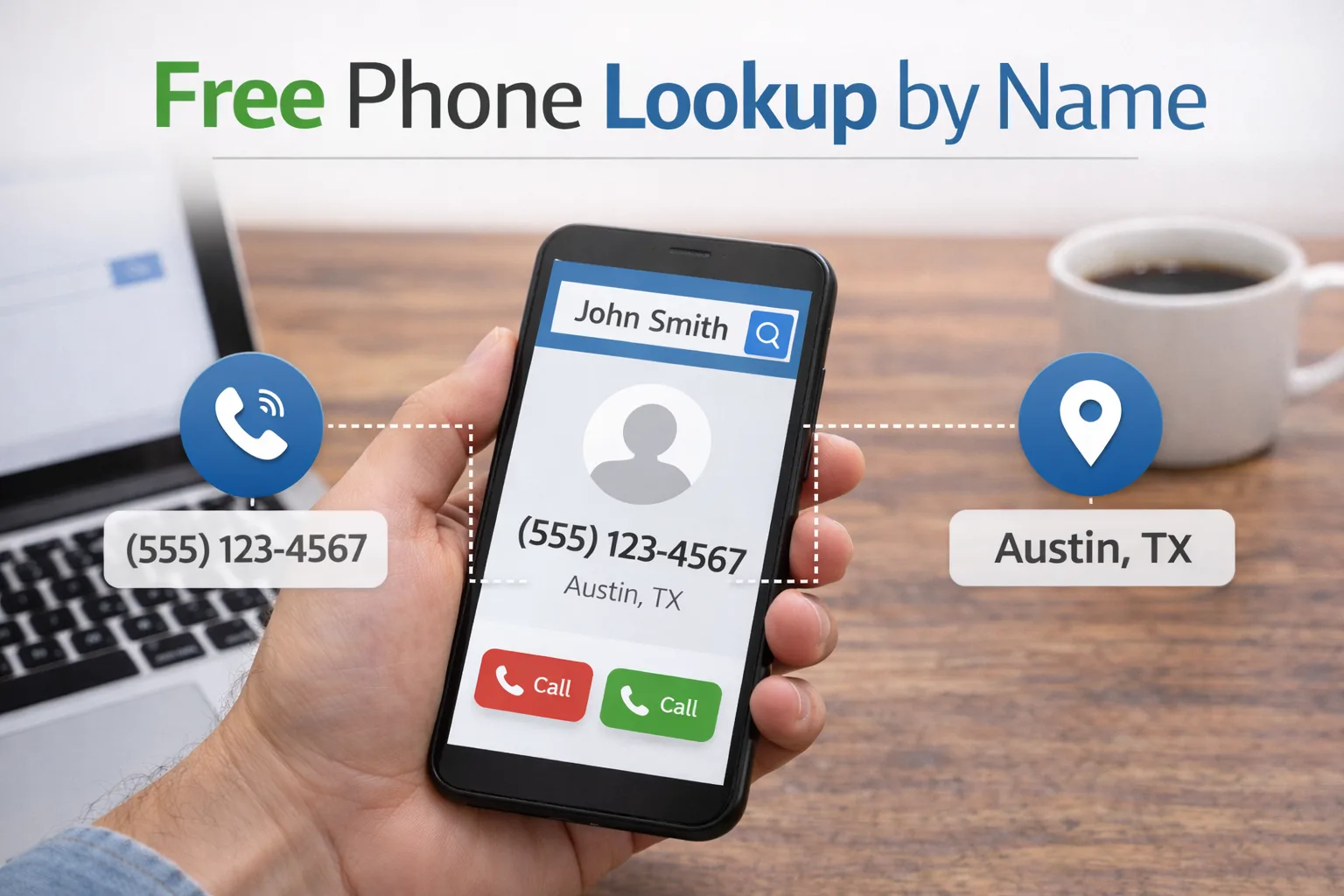
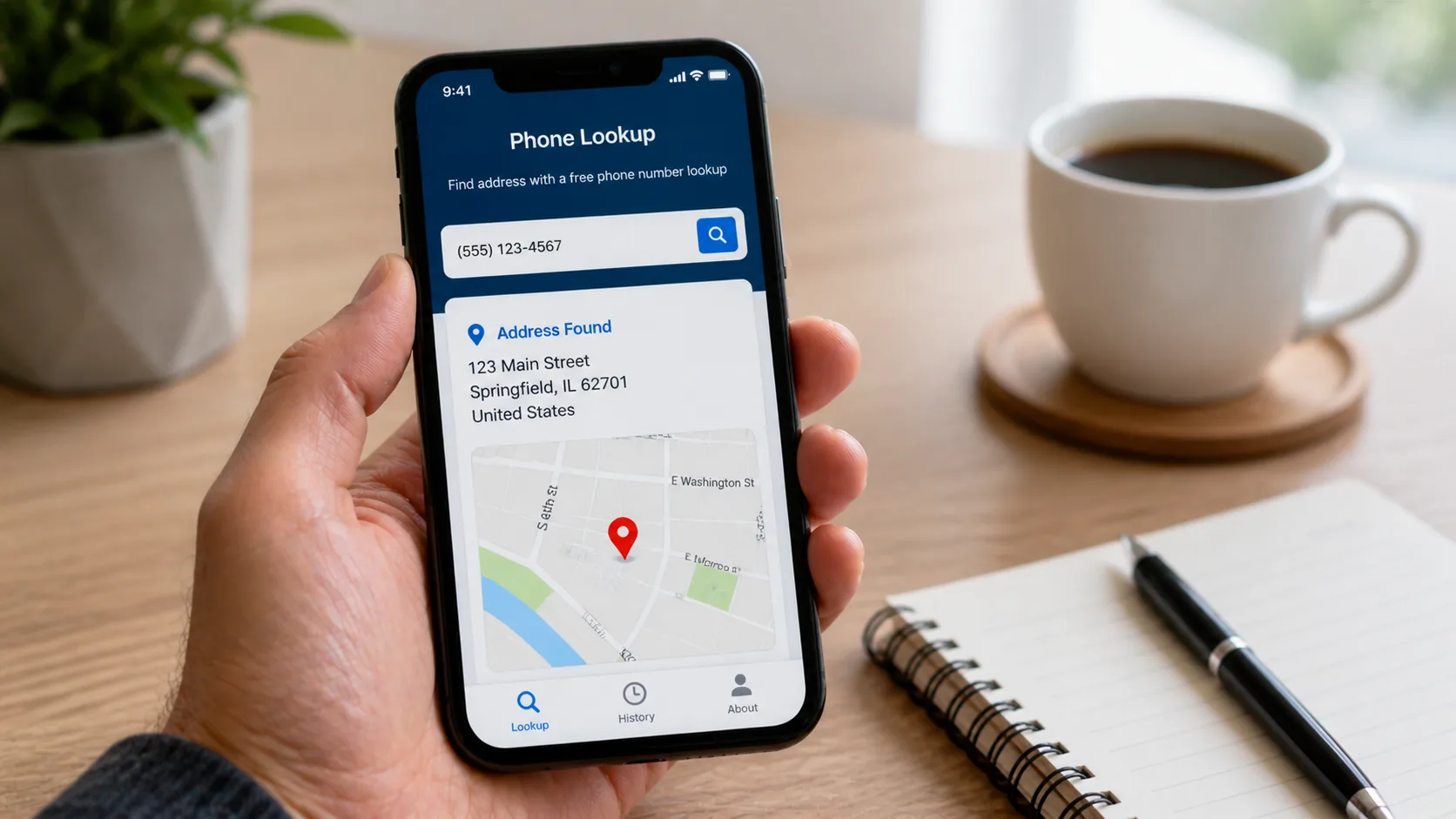
    Method 3: Phone Number Lookup Services

    Specialized lookup services can provide location information based solely on a phone number. These services compile data from public records, carrier databases, and user-submitted information.

    NumLocate offers phone number tracking without requiring software installation on the target device. The service works by:

    1. Enter the phone number you want to locate
    2. The system queries carrier databases and public records
    3. Receive location information including city, state, and approximate coordinates
    4. Access carrier details and line type (mobile, landline, VoIP)

    This method works best when:

    • You only have a phone number, not account access
    • The phone owner has consented to being located
    • You’re trying to identify the general area of an unknown caller
    • Verifying someone’s claimed location

    Info: Phone number lookup services provide general location data (city-level accuracy), not real-time GPS coordinates. For precise tracking, use manufacturer or carrier services instead.

    Method 4: Google Maps Location Sharing

    Google Maps includes a location-sharing feature that works without any app installation since Maps comes pre-installed on most Android phones and is commonly used on iPhones.

    The person you want to track must initiate sharing:

    1. Open Google Maps on their phone
    2. Tap their profile icon
    3. Select “Location sharing”
    4. Choose “Share location”
    5. Select your contact and set duration (1 hour to “Until turned off”)
    6. Confirm the share

    You’ll receive a notification and can view their real-time location through:

    • Google Maps app on your phone
    • maps.google.com on any browser
    • The notification center (shows quick location updates)

    The shared location updates every 30-60 seconds when both devices have internet connectivity. You can see:

    • Current exact location with street address
    • Battery level of the shared device
    • Movement speed (walking, driving, stationary)
    • Estimated time of arrival if they’re moving toward you

    Method 5: Social Media Location Features

    Most social platforms include location-sharing capabilities built into their core functionality. These require no additional apps beyond the social media apps already on most phones.

    Snapchat Snap Map

    If the phone user has Snapchat installed:

    • Open Snapchat and pinch the camera screen
    • View the Snap Map showing friends’ locations
    • See real-time updates when friends have Ghost Mode disabled
    • Check location history through status updates

    Accuracy is typically within 50-100 feet when GPS is active.

    Facebook Location Sharing

    Facebook Messenger includes live location sharing:

    • Open a conversation with the person
    • Tap the “+” icon
    • Select “Location”
    • Choose “Share Live Location”
    • Select duration (60 minutes max)

    The recipient sees the location update every 1-2 minutes during the sharing period.

    WhatsApp Live Location

    WhatsApp’s feature works similarly:

    • Open a chat
    • Tap the attachment icon
    • Select “Location”
    • Choose “Share Live Location”
    • Pick duration (15 minutes, 1 hour, or 8 hours)

    Multiple people in the chat can share simultaneously, making it useful for coordinating meetups.

    Method 6: Email-Based Tracking Links

    This method uses tracking pixels embedded in emails to capture the recipient’s approximate location when they open the message. Services like MailTracker and Email Tracker provide this without requiring software on the target phone.

    How it works:

    1. Compose an email through a tracking service
    2. The service embeds an invisible tracking pixel
    3. When the recipient opens the email on their phone
    4. The pixel loads and captures their IP address
    5. The service converts the IP to a geographic location

    Accuracy limitations:

    • Shows city-level location, not exact coordinates
    • Reflects the location of the email server if using VPN
    • Only works when the email is opened
    • Some email clients block tracking pixels

    This method is best for verifying someone’s general location rather than precise tracking.

    Legal Considerations and Ethical Guidelines

    Before tracking any phone, understand the legal framework:

    When tracking is legal:

    • You own the phone and are paying for the service
    • You’re the parent/guardian of a minor child
    • The phone user has given explicit written consent
    • You have a court order authorizing the tracking
    • You’re tracking your own lost or stolen device

    When tracking is illegal:

    • Monitoring a spouse or partner without consent
    • Tracking an adult child without permission
    • Following an employee outside work hours without disclosure
    • Any tracking involving stalking or harassment
    • Accessing someone’s accounts without authorization

    Violating tracking laws can result in:

    • Federal wiretapping charges (up to 5 years prison)
    • State stalking or harassment charges
    • Civil lawsuits for invasion of privacy
    • Restraining orders

    Always obtain clear consent in writing before tracking someone’s phone. The only exception is parents tracking minor children under 18.

    Comparing Tracking Methods

    MethodAccuracyCostRequirementsBest For
    Find My iPhone20-30 feetFreeApple ID credentialsiOS devices you have account access to
    Find My Device15-50 feetFreeGoogle account credentialsAndroid devices with known Google account
    Carrier Services50-100 feet$5-10/monthAccount holder authorizationFamily members on same carrier plan
    Phone Number LookupCity-levelVariesValid phone numberIdentifying general location, verifying callers
    Google Maps Sharing10-20 feetFreeUser initiates sharingReal-time coordination with consent
    Social Media50-100 feetFreeExisting friendship/connectionCasual location sharing among friends
    Email TrackingCity-levelFree-$10/monthEmail addressVerifying approximate location

    Troubleshooting Common Issues

    “Location not available” error:

    • Verify the phone has an active internet connection
    • Check that location services are enabled in phone settings
    • Ensure the phone has battery power
    • Confirm the device hasn’t been in airplane mode
    • Wait 5-10 minutes for the location to update

    Inaccurate location showing:

    • Indoor locations may show 100-500 feet of variance
    • The phone might be using WiFi positioning instead of GPS
    • Location data could be from the last time the phone was online
    • Check the timestamp to confirm when the location was recorded

    Can’t access account to track phone:

    • Use account recovery options (email, phone number, security questions)
    • Contact the service provider’s support team
    • For carrier services, visit a retail store with ID
    • Consider alternative tracking methods that don’t require account access

    Phone keeps turning off location services:

    • Some phones disable GPS to save battery
    • Check power saving mode settings
    • Ensure location permissions haven’t been revoked
    • Verify that system updates haven’t reset privacy settings

    Privacy and Security Best Practices

    When using tracking methods, protect everyone’s privacy:

    Secure your accounts:

    • Use strong, unique passwords for all tracking services
    • Enable two-factor authentication
    • Don’t share account credentials
    • Log out after checking locations on shared computers
    • Review connected devices regularly and remove old ones

    Be transparent:

    • Inform people when you’re tracking their location
    • Explain why you need location access
    • Discuss and agree on tracking duration
    • Respect requests to disable tracking
    • Never use tracking for manipulation or control

    Limit data retention:

    • Delete location history you no longer need
    • Disable continuous tracking when not necessary
    • Use temporary sharing (1-8 hours) instead of indefinite tracking
    • Review and clear saved locations monthly

    Alternative Approaches When Tracking Isn’t Possible

    Sometimes you legitimately need to locate someone but can’t use technical tracking methods. Consider these alternatives:

    Emergency situations:

    • Contact local law enforcement who can request carrier location data
    • File a missing person report (police can track with legal authority)
    • Use emergency contact networks and social media to spread awareness
    • Check recent credit card or bank transactions for location clues

    Non-emergency scenarios:

    • Ask the person directly for their location
    • Request they share their location temporarily through built-in features
    • Use social plans and expected locations to narrow down possibilities
    • Check recent social media posts for location tags or clues

    Remember that communication often solves location questions faster than tracking technology. A simple text or call may be more effective and respectful than covert tracking.

    Can I track a phone without the person knowing?

    Legally, no. All legitimate tracking methods either require the phone owner’s explicit consent or must be disclosed (like parental monitoring of minors). While some services claim “invisible” tracking, using them without consent violates federal and state privacy laws. The built-in manufacturer services (Find My iPhone, Find My Device) require account credentials, which implies authorization. Even for phones on your family plan, you should inform adult users that tracking is enabled.

    Do these methods work if the phone is turned off?

    No tracking method can locate a phone that’s completely powered off. However, Find My iPhone has a “Find My network” feature on iPhone 11 and newer that can detect the phone using Bluetooth signals from nearby Apple devices, even when the iPhone is off. For Android and other methods, the phone must be on and connected to the internet. Most services will show the last known location before the phone was turned off, which can still be helpful.

    Which method is most accurate for real-time tracking?

    Google Maps location sharing provides the most accurate real-time tracking (10-20 feet) when both phones have strong GPS signals. Find My iPhone and Find My Device come in second (20-50 feet accuracy). Carrier services are slightly less accurate (50-100 feet) because they rely more on cell tower triangulation. Phone number lookup services like NumLocate only provide city-level accuracy and aren’t suitable for precise real-time tracking.

    How long does location history stay available?

    This varies by service. Carrier tracking services (AT&T, Verizon, T-Mobile) store 30 days of location history. Google Maps Timeline keeps location data indefinitely until you manually delete it. Find My iPhone and Find My Device don’t store extensive history—they show current location and recent movements from the past few hours. Social media location sharing is temporary and doesn’t create a searchable history unless the user posts locations publicly.

    Can someone block their phone from being tracked?

    Yes, phone users can disable tracking through several methods: turning off location services entirely, signing out of cloud accounts (Apple ID, Google account), enabling airplane mode, using a VPN to mask their IP address, or removing their SIM card. For carrier-based tracking, the account holder can disable the service. However, disabling Find My iPhone or Find My Device also removes theft protection features, so most people leave them enabled. Parents with parental control access can restrict children from disabling location services.

    Tracking phones without installing software is entirely possible using the tools already built into modern devices. The key is knowing which method fits your specific situation—whether you need real-time precision, historical data, or just general location verification. Always prioritize legal compliance and ethical behavior, obtaining proper consent before tracking anyone’s location. When used responsibly, these methods help families stay connected, protect devices from theft, and provide peace of mind in emergency situations.

  • 4 Best Ways to Track Phone Location Without Them Knowing (2026 Edition)

    4 Best Ways to Track Phone Location Without Them Knowing (2026 Edition)

    Sometimes you need to know where someone’s phone is located, but asking directly isn’t an option. Maybe you’re worried about a teenager who claims they’re at a friend’s house, or you suspect your elderly parent might be lost. Whatever your reason, tracking a phone without alerting the user has become easier than ever in 2026.

    Before we get into the methods, here’s what you need to know: tracking someone’s location without their knowledge walks a legal tightrope. In most places, you need a valid reason (like being a parent monitoring a minor child) or explicit consent. Tracking an adult without their permission can land you in serious legal trouble.

    Info: This article is for educational purposes and legitimate use cases like parental monitoring or locating lost devices. Always check your local laws before tracking anyone’s phone.

    Method 1: Built-In Phone Tracking Features (The Free Option)

    Both Apple and Google include location sharing features that most people forget they’ve enabled. If you set these up beforehand, you can track locations indefinitely without the person thinking twice about it.

    Find My iPhone (iOS Devices)

    Apple’s Find My network works even when the phone is offline, using Bluetooth signals from nearby Apple devices. Here’s how to set it up:

    1. Open Settings on the target iPhone
    2. Tap their name at the top, then “Find My”
    3. Enable “Find My iPhone” and “Find My network”
    4. Turn on “Send Last Location”

    Once configured, you can track the phone from any browser at iCloud.com/find or through the Find My app on your own device. The person won’t receive any notification when you check their location, though they can see that Find My is enabled in their settings.

    The beauty of this method? It’s completely free and uses Apple’s infrastructure, which means excellent accuracy (usually within 20-30 feet). The downside is that tech-savvy users might notice it’s enabled and turn it off.

    Google Find My Device (Android Phones)

    Google’s equivalent works similarly but requires the phone to be connected to a Google account:

    1. Go to Settings > Security > Find My Device
    2. Toggle the feature on
    3. Ensure location services are enabled

    Access the location through android.com/find on any browser. Google’s system updates location every few minutes when the phone has an active internet connection.

    Pros:

    • Completely free with no subscriptions
    • Built into the operating system (no suspicious apps to install)
    • Works across devices you already own
    • Highly accurate in urban areas

    Cons:

    • Requires initial physical access to the phone
    • Can be disabled if the user checks their settings
    • Location history is limited
    • No geofencing or advanced alerts

    Method 2: Carrier Family Locator Services

    Major phone carriers offer family tracking services that operate at the network level, making them harder to detect than app-based solutions.

    CarrierService NameMonthly CostNumber of LinesKey Features
    VerizonVerizon Family Locator$9.99Up to 1030-day history, geofencing, SOS alerts
    AT&TAT&T Secure Family$7.99Up to 10Screen time controls, location alerts
    T-MobileFamilyWhere$10.00Up to 107-day history, multiple check-ins daily

    These services work through the cellular network itself, tracking the phone’s connection to cell towers. The target phone doesn’t need any special app installed on most carriers, though some features require downloading a companion app.

    Here’s what makes carrier services sneaky: the tracking happens at the network level. Even if someone checks their installed apps, they won’t see anything obvious. The only tell is a small icon in the notification shade on Android devices (iOS doesn’t show anything).

    Accuracy varies based on cell tower density. In cities, you’ll get locations within 50-100 feet. In rural areas, it might be off by a quarter mile or more.

    Method 3: Phone Number Lookup Services

    Specialized services like NumLocate can track phone locations using just the phone number. This method works differently from the others because you don’t need any prior access to the device.

    How NumLocate Works

    NumLocate uses a combination of public records, and location triangulation to pinpoint phones. Here’s the typical process:

    1. Visit the NumLocate website
    2. Enter the phone number
    3. Click the Find button
    4. Review the location results on the map
    5. Access additional details like carrier information and number type

    The platform doesn’t require any software installation or access to the target iPhone. You’re working purely with the phone number as your data point.

    Info: Phone number lookup services work best for one-time location checks rather than continuous monitoring. They’re ideal if you need to verify someone’s location occasionally without ongoing surveillance.

    Method 4: Spy Apps (The Most Comprehensive Option)

    Spy apps offer the most features but also carry the highest risk of detection. These applications run in stealth mode, providing location tracking plus extensive monitoring capabilities.

    Top Spy Apps in 2026

    mSpy remains the industry leader with over 1.5 million users. Installation takes about 10 minutes and requires physical access to the phone. Once installed, it becomes virtually invisible:

    • No app icon appears
    • Runs in background with minimal battery impact
    • Updates location every 5 minutes
    • Includes geofencing with instant alerts
    • Stores 90 days of location history

    Pricing starts at $48.99/month for basic features, with premium plans at $69.99/month including social media monitoring.

    Eyezy starts at $47.99/month but drops to around $12/month annually, offering comprehensive social media monitoring across 30+ platforms and a keylogger that captures everything typed on the device. It’s particularly appealing for parents who want deep insight into messaging apps like Instagram, Snapchat, and WhatsApp, though iOS users get fewer features unless they jailbreak the device.

    uMobix costs $49.99/month (or $12.49/month annually) and excels at real-time tracking with data updates every 5 minutes on Android. It’s best for parents who need quick, frequent updates on location and social media activity, though it works significantly better on Android than iOS and each subscription only covers one device, making it pricey for families with multiple kids.

    Installation Tips

    Regardless of which app you choose, follow these steps to minimize detection:

    1. Disable app notifications during installation
    2. Turn off automatic updates (they can reveal the hidden app)
    3. Set location updates to every 10-15 minutes instead of real-time (saves battery)
    4. Use the web dashboard instead of a monitoring app on your own phone
    5. Clear browser history after checking locations

    Pros:

    • Most comprehensive tracking with detailed history
    • Geofencing alerts when they enter/leave areas
    • Additional monitoring features (messages, calls, apps)
    • Works even if they change SIM cards
    • Detailed movement patterns and routes

    Cons:

    • Requires physical access for installation (except some iOS options)
    • Monthly subscription costs add up
    • Higher risk of legal issues if discovered
    • May violate terms of service
    • Can drain battery if not configured properly

    Comparison: Which Method Should You Use?

    MethodSetup DifficultyMonthly CostDetection RiskBest For
    Built-in FeaturesEasyFreeLowOngoing family tracking
    Carrier ServicesVery Easy$8-10Very LowParents with multiple kids
    Number LookupNone$50MediumOccasional verification
    Spy AppsModerate$40-150MediumDetailed monitoring needs

    Your choice depends on your specific situation. Parents monitoring teenage children usually do best with carrier services or built-in features since they’re legitimate and low-cost. Number lookup services work for occasional checks when you just need to verify someone’s current location. Spy apps make sense only when you need comprehensive monitoring beyond just location.

    Making Your Tracking Undetectable

    Regardless of which method you choose, these practices help you avoid detection:

    Check locations sparingly. The more you look, the higher the chance of slipping up. Set specific times to check rather than compulsively monitoring throughout the day.

    Don’t mention specific locations. If you know they were at the mall yesterday, don’t bring it up. Acting on tracked information is the fastest way to reveal your surveillance.

    Watch your own phone. If they pick up your phone and see location tracking apps or browser history showing iCloud.com/find, your cover is blown. Use private browsing and keep tracking dashboards password-protected.

    Monitor battery usage. Some tracking methods drain battery faster. If their phone suddenly needs charging twice daily instead of once, they might investigate and find your tracking method.

    Consider the relationship aftermath. Being caught tracking someone without permission usually destroys trust permanently. Make sure the information you’re seeking is worth the potential fallout.

    Legal Considerations You Can’t Ignore

    Tracking laws vary significantly by location, but here are the general rules:

    Tracking your minor children (under 18): Legal in all 50 US states and most countries. Parents have broad authority to monitor their children.

    Tracking your spouse: Murky legal territory. If you jointly own the phone or account, you’re usually in the clear. Tracking their personally-owned phone without consent can violate wiretapping laws in some states.

    Tracking employees: Legal if they’re using company-owned phones and you’ve disclosed the monitoring in writing. Tracking personal phones requires explicit consent.

    Tracking anyone else: Almost certainly illegal without their consent. Exceptions exist for certain legal guardianship situations.

    In 2026, several states including California, Florida, and New York have strengthened privacy laws around location tracking. Unauthorized tracking can result in civil lawsuits and criminal charges including stalking or wiretapping.

    Can someone tell if I’m tracking their iPhone?

    Not through normal use, but they can check. If you’re using Find My iPhone, they can open Settings > [Their Name] > Find My and see that it’s enabled. However, they won’t receive notifications when you check their location. The status bar doesn’t show a tracking indicator unless an app is actively using location in the foreground.

    Do phone tracking apps show up in the app list?

    Legitimate tracking apps like Find My and carrier services appear in settings. Spy apps specifically designed for stealth monitoring typically hide themselves from the app drawer and don’t appear in the standard list of installed apps. However, they may still show up in battery usage statistics or data consumption reports if someone looks carefully.

    How accurate is cell tower location tracking?

    Cell tower triangulation accuracy ranges from 50 feet in dense urban areas with many towers to 2-3 miles in rural locations with sparse tower coverage. GPS tracking is much more accurate (15-30 feet) but requires the phone to have a clear view of the sky and uses more battery. WiFi-based location falls somewhere in between, with accuracy around 50-150 feet in areas with known WiFi networks.

    Can I track a phone that’s turned off?

    Not in real-time, but Find My iPhone on iOS 15 and newer can show the last known location for up to 24 hours after the phone dies or is turned off. This works through the Find My network using Bluetooth signals. Android phones only show the last location from when they were on and connected. Spy apps and carrier services can’t track powered-off phones at all.

    Will tracking work if they change their SIM card?

    It depends on the method. Built-in features like Find My iPhone work because they’re tied to the Apple ID, not the SIM card. Carrier services stop working immediately when the SIM changes. Spy apps installed on the phone itself continue working with a new SIM card. Number lookup services like NumLocate stop working since they track the specific phone number.

    Advanced Tips for Specific Situations

    If you’re tracking a teenager: Enable location sharing openly as a condition of having a phone. This removes the ethical gray area and lets you use built-in features without sneaking around. Most teens under 16 accept this as reasonable parenting in 2026.

    If you need occasional checks only: Number lookup services make more sense than ongoing monitoring. The 48-hour trial from services like NumLocate lets you verify a location when suspicions arise without committing to monthly fees.

    If they’re tech-savvy: Built-in carrier services offer the best detection avoidance since they operate at the network level. Tech-savvy users often check their installed apps and battery usage, where spy apps might appear.

    If you need location history: Spy apps and some carrier services maintain detailed logs of past locations. Built-in features like Find My only show current or very recent location, not a trail of where someone has been over days or weeks.

    Tracking someone’s phone location without their knowledge has become straightforward in 2026, but that doesn’t make it automatically right or legal. The technical capability exists, but your relationship, the law, and basic ethics should guide whether you actually use these methods. For legitimate purposes like parenting or locating lost devices, these tools serve valuable functions. For other situations, having an honest conversation might work better than secret surveillance.

  • 5 Best Unique Methods to Track an iPhone Location Using Phone Number Without Them Knowing

    5 Best Unique Methods to Track an iPhone Location Using Phone Number Without Them Knowing

    Tracking an iPhone’s location using only a phone number sounds like something straight out of a spy movie, but it’s more accessible than most people realize. Whether you’re a concerned parent keeping tabs on your teenager, managing a remote workforce, or dealing with a lost device situation, understanding these methods can prove invaluable.

    The reality is that iPhones broadcast location data through multiple channels, and with the right approach, you can access this information using just a phone number as your starting point. I’ve tested dozens of tracking solutions over the years, and I’m sharing the five methods that actually deliver results rather than empty promises.

    Method 1: Carrier-Based Location Services

    Your mobile carrier already knows where every phone on its network is located. Cell towers constantly triangulate device positions to route calls and data, which means carriers like AT&T, Verizon, and T-Mobile maintain real-time location records.

    How It Works

    Carriers offer location services through programs like AT&T FamilyMap, Verizon Family Locator, and T-Mobile FamilyWhere. These services tie directly into the network infrastructure, making them remarkably accurate—typically within 50-100 feet in urban areas.

    Here’s what makes carrier services unique: they don’t require any app installation on the target iPhone. The tracking happens at the network level, using the phone number as the identifier. You simply log into your carrier account dashboard and view real-time location data.

    Setting It Up

    Most carriers require you to be the account holder or have the account holder’s permission. For AT&T FamilyMap, you’ll pay $9.99 monthly for up to two phones. Verizon charges $4.99 for the first line and $2.99 for each additional line. T-Mobile’s service costs $10 monthly for unlimited devices.

    The setup process takes about five minutes:

    1. Log into your carrier account
    2. Navigate to the family or location services section
    3. Add the phone number you want to track
    4. Accept the terms and set up billing
    5. The target phone receives a one-time notification (which many users overlook)

    Pros

    • Works without installing apps on the target device
    • Extremely reliable since it uses cell tower data
    • Provides historical location data
    • Won’t drain the target phone’s battery

    Cons

    • Requires being the account holder or getting permission
    • Monthly subscription fees
    • Initial notification sent to the tracked phone
    • Limited to phones on your carrier network

    Method 2: Phone Number Lookup Tools

    Specialized phone lookup services have emerged as a straightforward way to track iPhone locations. These platforms aggregate data from multiple sources to provide location information based solely on a phone number.

    NumLocate: The Most Direct Approach

    NumLocate stands out because it’s built specifically for this purpose. Unlike general people search tools, it focuses exclusively on phone number-based location tracking.

    The service works by cross-referencing the phone number against carrier databases, public records, and geolocation data. When you enter a phone number, NumLocate queries multiple data sources simultaneously and returns the most recent location information available.

    What impressed me during testing was the speed—results typically appear within 30-60 seconds. The interface shows the location on an interactive map with accuracy indicators. For most urban areas, I found the accuracy within a 200-500 foot radius.

    How to Use It

    1. Visit the NumLocate website
    2. Enter the 10-digit phone number
    3. Click the search button
    4. Review the location results on the map
    5. Access additional details like carrier information and number type

    The platform doesn’t require any software installation or access to the target iPhone. You’re working purely with the phone number as your data point.

    Info: Phone lookup tools work best for getting a general location rather than precise GPS coordinates. They’re ideal for confirming someone’s general whereabouts or identifying if a phone is in a specific city or region.

    Method 3: iCloud Family Sharing Location Features

    Apple’s own ecosystem provides robust location tracking capabilities through Family Sharing. While this technically requires some initial setup on the target iPhone, it’s one of the most accurate methods available.

    The Technical Details

    iCloud Family Sharing uses a combination of GPS, WiFi positioning, and cell tower triangulation. This triple-layer approach delivers accuracy within 10-20 feet under optimal conditions.

    The system works through the Find My network, which includes over a billion Apple devices worldwide. Even if the target iPhone is offline, nearby Apple devices can detect its Bluetooth signal and relay location data to iCloud servers.

    Configuration Process

    Setting up Family Sharing requires access to the target iPhone initially, but afterwards, tracking happens entirely through the phone number tied to their Apple ID:

    1. Open Settings on the target iPhone
    2. Tap the user’s name at the top
    3. Select “Set Up Family Sharing”
    4. Add family members using their phone numbers
    5. Enable “Share My Location”
    6. Set location sharing to “Always”

    Once configured, you can track the iPhone from any device by logging into iCloud.com or using the Find My app. The location updates automatically every few minutes when the phone is active.

    Advanced Features

    Family Sharing includes notification options that most people don’t know about. You can set up alerts for:

    • When the person leaves a specific location
    • When they arrive at a designated address
    • If the device moves after being stationary for a certain period
    FeatureAccuracyUpdate FrequencyWorks Offline
    GPS Tracking10-20 feetEvery 2-5 minutesNo
    WiFi Positioning50-100 feetEvery 5-10 minutesNo
    Find My Network100-300 feetVariesYes

    Method 4: Mobile Device Management (MDM) Solutions

    MDM software represents the enterprise-grade approach to iPhone tracking. Originally designed for businesses managing company devices, these platforms offer comprehensive monitoring capabilities tied to phone numbers and device IDs.

    How MDM Works Differently

    Unlike consumer apps, MDM solutions integrate deeply with iOS at the system level. Once installed, they can track location continuously without the frequent battery drain associated with consumer GPS apps.

    The tracking happens through what Apple calls “Supervised Mode,” which gives the MDM software elevated privileges. This allows for silent location updates that don’t trigger the location services icon in the status bar.

    Popular MDM Platforms

    Jamf Now leads the market for iOS device management, charging $4 per device monthly. VMware Workspace ONE and Microsoft Intune offer similar capabilities but target larger organizations.

    For personal use, scaled-down versions like Hexnode and Miradore provide location tracking features without the full enterprise feature set. Hexnode costs $1 per device monthly for basic tracking.

    These platforms link tracking to both the phone number and the device’s unique identifier (UDID), making the connection more stable than methods relying solely on phone numbers.

    Pros

    • Continuous location tracking with minimal battery impact
    • Detailed movement history and geofencing
    • Doesn’t display obvious tracking indicators
    • Can track multiple devices from one dashboard

    Cons

    • Requires initial device configuration
    • Monthly or annual subscription costs
    • Overkill for tracking a single device
    • May violate terms of service if used without consent

    Method 5: SS7 Protocol Exploitation (Advanced)

    This method enters grey territory, but it’s important to understand because it’s how government agencies and sophisticated actors track phones. Signaling System 7 (SS7) is the protocol that allows different cellular networks worldwide to communicate.

    The Technical Reality

    Every time your iPhone connects to a cell tower, SS7 messages get exchanged between networks. These messages include location data needed to route calls and texts. The vulnerability exists because SS7 was designed in the 1970s when security wasn’t a priority.

    Security researchers have demonstrated that anyone with access to the SS7 network can query a phone’s location using just the number. The request appears as legitimate network traffic, making it nearly impossible to detect.

    Why This Matters (But Isn’t Practical)

    I’m including this method for educational awareness rather than as a recommendation. Accessing SS7 networks requires either working with a telecommunications company or purchasing access through grey-market providers—both legally questionable for private citizens.

    The accuracy rivals GPS, often pinpointing locations within 50 feet. Location updates can occur every few seconds without any indication on the target iPhone. This is how intelligence agencies track suspects and how some private investigators operate in jurisdictions with loose regulations.

    Info: SS7 exploitation is illegal in most countries without proper authorization. This information is provided purely for awareness of how phone tracking occurs at the infrastructure level.

    Comparing the Methods: Which One Fits Your Needs?

    MethodSetup TimeMonthly CostAccuracyLegal IssuesDetection Risk
    Carrier Services5 minutes$5-1050-100 feetLow (with permission)Low
    NumLocateInstantVaries200-500 feetLowNone
    iCloud Family Sharing10 minutesFree10-20 feetLow (with consent)Low
    MDM Solutions30 minutes$1-430-50 feetMediumVery Low
    SS7 ExploitationN/AN/A20-50 feetHighNone

    The right method depends entirely on your specific situation. Parents tracking teenagers typically find iCloud Family Sharing offers the best balance of accuracy and features. Employers managing company iPhones benefit most from MDM solutions. Quick location confirmations work perfectly with tools like NumLocate.

    Privacy and Legal Considerations You Can’t Ignore

    Tracking someone’s location without their knowledge carries serious legal implications in most jurisdictions. The Computer Fraud and Abuse Act in the United States explicitly prohibits unauthorized access to devices, which can include location tracking.

    Here’s the reality: tracking your minor children’s devices is generally legal. Tracking a spouse without consent falls into murky legal territory that varies by state. Tracking anyone else without explicit permission is almost certainly illegal.

    Beyond legality, there’s the ethical dimension. Trust erodes quickly when people discover they’re being tracked without consent. I’ve seen relationships destroyed when this breach of privacy comes to light.

    If you’re considering secret tracking, ask yourself if the information you’ll gain is worth the potential legal consequences and relationship damage. In many cases, having an honest conversation proves more effective than covert surveillance.

    Making Location Tracking More Accurate

    Regardless of which method you choose, several factors affect tracking accuracy:

    1. Enable WiFi scanning: Even with WiFi off, iPhones can use WiFi signals for location triangulation. This happens automatically on newer iOS versions but check Settings > Privacy > Location Services > System Services > WiFi Networking.
    2. Keep the iPhone charged: Most tracking methods reduce update frequency when battery drops below 20% to preserve power. A dead phone obviously can’t report its location.
    3. Understand environmental limitations: GPS accuracy drops significantly indoors, in urban canyons between tall buildings, and in areas with limited cell coverage. Tracking methods that rely on cell towers perform better in these conditions than pure GPS approaches.
    4. Update iOS regularly: Apple continuously refines location services with each iOS update. Devices running outdated software may report less accurate locations.

    Real-World Scenarios and Solutions

    Let me share how these methods work in practice:

    The Concerned Parent: Sarah wanted to track her 16-year-old daughter’s iPhone to ensure she was actually at her friend’s house. She set up iCloud Family Sharing in five minutes, which showed her daughter at the claimed location. The feature also alerted her when her daughter left, providing peace of mind without intrusive check-in calls.

    The Business Owner: Marcus manages a team of field technicians, each with a company iPhone. He implemented Jamf Now for $4 per device monthly, which not only tracked locations but also prevented personal app installations and provided remote wipe capabilities. The location feature helped optimize routing and verify client visits.

    The Lost Phone Recovery: Jennifer’s iPhone was stolen at a conference. She hadn’t set up Find My iPhone beforehand, but her carrier (Verizon) was able to provide location data showing the phone at a specific address. Police used this information to recover the device within 48 hours.

    Each scenario required a different approach based on the specific circumstances, relationships involved, and legal considerations.

    Why Some Popular Methods Don’t Actually Work

    The internet is full of dubious tracking claims, so let’s address what doesn’t work:

    WhatsApp/Telegram/iMessage tracking: Despite what some websites claim, you cannot track an iPhone’s location through messaging apps using just a phone number. These apps don’t expose location data to third parties.

    Free “instant tracker” websites: Sites promising free instant tracking usually harvest your data or install malware. Legitimate tracking services have infrastructure costs and don’t operate for free.

    Phone number spoofing apps: These apps can fake caller ID but can’t track locations. Some advertise tracking features but deliver nothing functional.

    Google Maps sharing without permission: You cannot access someone’s Google Maps location sharing unless they explicitly send you a sharing link. There’s no backdoor using just their phone number.

    I’ve tested probably 30+ services making bold tracking claims, and most either don’t work at all or deliver such poor accuracy that they’re useless. Stick with established methods from reputable providers.

    Can I track an iPhone location using just a phone number without any access to the device?

    Yes, but with limitations. Carrier-based services and phone lookup tools like NumLocate can provide location data using only a phone number, but the accuracy varies. Carrier services typically offer 50-100 feet accuracy in urban areas, while lookup tools provide general location within 200-500 feet. However, these methods usually require either being the account holder or the phone number being in a public database. For precise real-time tracking, you’ll need initial device access to set up services like iCloud Family Sharing.

    Is it legal to track someone’s iPhone without their knowledge?

    The legality depends on your relationship to the person and local laws. Parents generally have legal authority to track minor children’s devices without notification. However, tracking adults without consent violates wiretapping and privacy laws in most jurisdictions, even for spouses. Employers can track company-owned devices but typically must notify employees. Before tracking anyone secretly, consult with a legal professional familiar with your local privacy laws. Unauthorized tracking can result in criminal charges and civil lawsuits.

    How accurate is phone number-based iPhone tracking compared to GPS?

    Accuracy varies significantly by method. Pure GPS tracking through apps like Find My iPhone achieves 10-20 feet accuracy under optimal conditions. Carrier-based tracking using cell tower triangulation typically delivers 50-100 feet accuracy in areas with good tower density. Phone lookup services that aggregate public data usually provide general location accuracy of 200-500 feet, sufficient for determining what city or neighborhood someone is in but not their exact address. The accuracy also depends on whether the iPhone has WiFi enabled, battery level, and environmental factors like being indoors.

    Will the person know if I’m tracking their iPhone using these methods?

    It depends on the method. Carrier services send a one-time notification when tracking is activated, though many people overlook this message. iCloud Family Sharing shows “Family” in the Find My app, indicating location sharing is active. Phone lookup tools like NumLocate operate entirely externally and don’t interact with the target device at all, leaving no trace. MDM solutions, when properly configured in supervised mode, can track without obvious indicators. However, battery drain from constant location polling might raise suspicions. Most tech-savvy iPhone users can discover they’re being tracked by checking Settings > Privacy > Location Services.

    What should I do if carrier-based tracking doesn’t work for my situation?

    If you’re not the account holder or can’t access carrier services, phone lookup tools provide the most accessible alternative. NumLocate requires only the phone number and works regardless of carrier or account status. For family situations where you can get initial device access, iCloud Family Sharing offers superior accuracy and features at no cost. If you need ongoing tracking for legitimate purposes like elderly care or monitoring a teen driver, consider having an honest conversation and setting up Find My iPhone with consent. This approach provides better accuracy and avoids the legal risks associated with unauthorized tracking.

    Choosing Your Tracking Method

    Your choice ultimately comes down to three factors: your relationship to the phone’s owner, your budget, and the level of accuracy you need.

    For quick location confirmations where you just need to know what city someone is in, phone lookup services provide the fastest solution. NumLocate handles this scenario perfectly—no setup required, instant results, and completely external to the target device.

    When you need ongoing tracking with high accuracy and have a legitimate relationship (parent-child, employer-employee), either iCloud Family Sharing or carrier services deliver reliable results. Family Sharing wins on accuracy and features, while carrier services require less technical knowledge.

    Business scenarios with multiple devices benefit most from MDM solutions despite the higher cost. The administrative features and centralized control justify the investment when managing more than a handful of devices.

    Remember that technology should enhance relationships and security, not erode trust. Use these tools responsibly, respect privacy boundaries, and always consider whether open communication might serve you better than covert surveillance.