Category: How To

  • How Reverse Phone Lookup Assists in Background Checks

    How Reverse Phone Lookup Assists in Background Checks

    When you receive a call from an unfamiliar number, or when you’re vetting a new employee, tenant, or business partner, a reverse phone lookup can reveal critical information that standard background checks might miss. These tools have evolved from simple directory services into comprehensive information databases that connect phone numbers to detailed owner profiles.

    A reverse phone lookup works by searching billions of public records, social media profiles, and telecommunications databases to identify who owns a specific phone number. The process takes seconds, but the information you uncover can save you from costly mistakes or dangerous situations.

    What Information Does Reverse Phone Lookup Reveal?

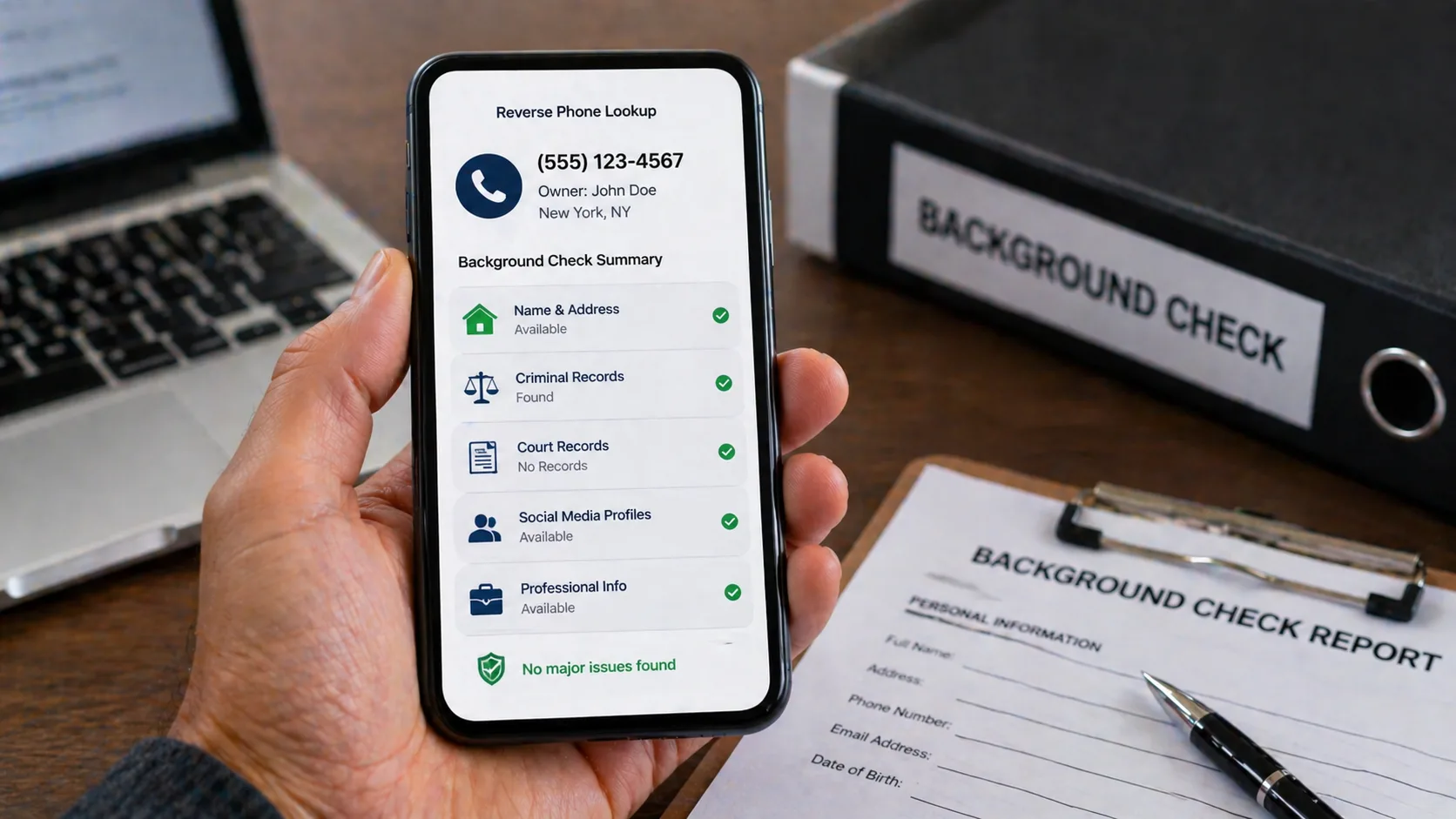
    The depth of information varies depending on the service you use, but professional reverse phone lookup tools typically uncover:

    Owner Identity Details:

    • Full legal name (current and previous)
    • Age and date of birth
    • Current and past addresses
    • Email addresses associated with the number
    • Social media profiles linked to the number

    Contact History:

    • How long the number has been active
    • Previous owners of the number
    • Associated landline and mobile numbers
    • Business affiliations

    Background Information:

    • Possible criminal records
    • Court judgments and liens
    • Bankruptcy filings
    • Professional licenses
    • Property ownership records

    Most reverse phone lookup services update their databases monthly, though some premium services offer weekly or even daily updates for the most current information.

    How Employers Use Reverse Phone Lookup During Hiring

    HR departments have started incorporating reverse phone lookup as part of their screening process. Here’s why it matters:

    A resume might list a phone number, but verifying that number’s legitimacy helps confirm the applicant’s identity. If the phone number belongs to someone else, shows up on scam databases, or has been flagged for suspicious activity, that’s a red flag worth investigating.

    Companies routinely discover:

    • Applicants using fake references with burner phones
    • Phone numbers associated with multiple identities
    • Numbers flagged for fraudulent activity
    • Discrepancies between stated location and phone number registration

    One recruiting manager at a mid-sized tech firm shared that they caught three fraudulent applications last year simply by running the provided phone numbers through a lookup service. Each number was associated with someone other than the applicant.

    Landlords and Tenant Screening

    Property managers face unique challenges when screening potential tenants. Credit reports and employment verification are standard, but reverse phone lookup adds another verification layer.

    Red Flags Landlords Watch For:

    • Phone numbers registered to different names than the applicant
    • Recently activated numbers (suggesting possible fraud)
    • Numbers associated with eviction records
    • Contact information linked to multiple rental applications across different cities
    • Phone numbers flagged in scam databases

    A property management company in Florida reported preventing five potentially problematic tenancies in 2024 by identifying application fraud through phone number verification. In each case, the phone numbers were either recently purchased or associated with individuals who had eviction histories.

    Comparing Reverse Phone Lookup Services for Background Checks

    FeatureBasic ServicesPremium ServicesEnterprise Solutions
    Database Size100M-500M records1B+ records2B+ records
    Update FrequencyQuarterlyMonthlyWeekly/Daily
    Criminal RecordsLimitedComprehensiveFull Court Access
    Social Media LinksBasicExtensiveAPI Integration
    Batch SearchesNoLimited (50-100)Unlimited
    Average CostFree-$9.99$19.99-$49.99Custom Pricing
    Report Detail1-2 pages5-10 pages15+ pages

    Integration with Traditional Background Checks

    Reverse phone lookup shouldn’t replace traditional background checks—it complements them. Traditional checks pull from official government databases for criminal records, employment history, and credit reports. Phone lookup services fill the gaps by:

    Verifying Identity Consistency: If someone’s phone number has been registered to three different names in the past year, that’s worth investigating further. Identity thieves often use multiple phone numbers, and this pattern can reveal fraudulent behavior before it becomes your problem.

    Uncovering Hidden Connections: Phone records can reveal associations that don’t show up in standard checks. For instance, a business partner’s phone number might be linked to bankrupt companies or individuals with poor credit histories.

    Speed Advantage: While comprehensive background checks can take 3-5 business days, reverse phone lookup delivers results instantly. This speed helps with initial screening, allowing you to filter out problematic candidates before investing in full background reports.

    Pros:

    • Instant results compared to traditional background checks
    • Reveals information not found in standard databases
    • Cost-effective screening tool for initial vetting
    • Uncovers hidden phone numbers and aliases
    • Identifies recently created numbers that may indicate fraud

    Cons:

    • Information accuracy depends on database quality
    • May return outdated data if not regularly updated
    • Cannot replace comprehensive criminal background checks
    • Legal restrictions vary by state and purpose
    • May miss unlisted or very new phone numbers

    The Fair Credit Reporting Act (FCRA) regulates how background check information can be used, particularly in employment and housing decisions. Here’s what you need to know:

    Permissible Uses:

    • Employment screening (with proper consent and disclosure)
    • Tenant screening for rental properties
    • Business partner verification
    • Personal safety verification
    • Fraud prevention

    Required Compliance: If you’re using reverse phone lookup data for employment or housing decisions, you must:

    1. Obtain written consent from the individual
    2. Provide disclosure that you’ll be conducting a background check
    3. Give the individual a chance to dispute inaccurate information
    4. Follow adverse action procedures if you deny based on findings

    Small business owners sometimes assume these rules only apply to large companies, but FCRA compliance is mandatory regardless of company size. Violations can result in fines ranging from $100 to $1,000 per violation, plus potential lawsuits.

    Identifying Phone Number Red Flags

    Experienced investigators look for specific patterns when running reverse phone lookups:

    Recently Activated Numbers: If someone provides a phone number that was activated within the past 30 days, and they claim to have lived at their current address for years, that mismatch deserves scrutiny. Legitimate users occasionally change numbers, but fraudsters often use fresh numbers to avoid detection.

    VoIP and Virtual Numbers: Google Voice, Skype numbers, and similar services aren’t inherently suspicious, but they’re commonly used in scams because they’re cheap and disposable. When someone uses a VoIP number for important transactions like job applications or rental agreements, verify their identity through additional channels.

    Number Recycling Issues: Phone carriers recycle disconnected numbers after 90 days. Sometimes reverse lookup results show the previous owner’s information rather than the current user. Cross-reference the data with other information sources to ensure accuracy.

    Geographic Inconsistencies: A New York City area code on someone claiming to live in Los Angeles isn’t automatically suspicious—people keep numbers when they move. However, if multiple data points don’t align (address, employment location, references), the phone number discrepancy adds to the concern.

    Best Practices for Accurate Results

    Getting reliable information from reverse phone lookup requires understanding how to use these tools effectively:

    Run Multiple Searches: Don’t rely on a single service. Different databases have different strengths. One service might excel at finding social media connections, while another specializes in court records. Running the same number through 2-3 services provides a more complete picture.

    Document Your Findings: Create a standardized form for recording reverse phone lookup results. Include the date of the search, service used, and key findings. This documentation proves valuable if you need to justify hiring or housing decisions later.

    Verify Unexpected Results: If you find concerning information, verify it through independent sources before taking action. Database errors happen, and you don’t want to make decisions based on incorrect data.

    Consider the Age of Information: Pay attention to when records were last updated. A five-year-old address or a deactivated social media account might not reflect the person’s current situation.

    Real-World Applications and Case Studies

    Case 1: Small Business Fraud Prevention A small e-commerce company received a large order from a new customer. Before shipping $15,000 in merchandise, they ran the customer’s phone number through a reverse lookup service. The number was registered to a different name and had been flagged in fraud databases. They required alternative payment verification, which the customer couldn’t provide. The order turned out to be fraudulent.

    Case 2: Dating Safety A woman met someone through an online dating app. Before their first in-person meeting, she ran his phone number through a lookup service. The results showed the number was associated with multiple online dating profiles using different names and photos. She avoided what could have been a dangerous situation.

    Case 3: Employee Reference Verification A hiring manager noticed that two references for a job applicant had phone numbers registered to the same address as the applicant. Further investigation revealed the applicant had created fake references using free VoIP numbers. The discovery saved the company from hiring someone who had fabricated their work history.

    Phone Lookup for Investigative Purposes

    Professional investigators use reverse phone lookup differently than casual users. They look for patterns across multiple data points:

    Network Analysis: Investigators map out connections between phone numbers, identifying clusters of related individuals. If ten phone numbers all connect to the same address, email, or social media profiles, that network becomes visible.

    Timeline Construction: By tracking when numbers were activated and deactivated, investigators can construct timelines of a person’s movements and activities. This proves particularly useful in civil litigation or fraud investigations.

    Cross-Reference Verification: Every piece of information from a phone lookup gets verified against other sources. Name, address, age, and associates all get checked for consistency across multiple databases.

    Info: Professional investigators typically spend 15-20 minutes analyzing phone lookup results rather than just glancing at the report. The details matter more than the headline information.

    Limitations and Accuracy Concerns

    No reverse phone lookup service has perfect accuracy. Understanding the limitations helps you use these tools effectively:

    Database Gaps: Some phone numbers simply won’t return results, particularly:

    • Very recently activated numbers (less than 30 days old)
    • Numbers from smaller carriers or MVNOs
    • International numbers
    • Heavily protected privacy-focused numbers

    False Positives: Database errors occasionally link phone numbers to the wrong people. This happens more frequently with:

    • Recycled phone numbers
    • Family members sharing plans
    • Business lines with multiple users

    Privacy Protection: Some individuals successfully scrub their information from data broker databases. While this doesn’t mean they’re hiding something nefarious, it does mean reverse lookup might return limited results.

    Mobile vs. Landline Lookup Differences

    The type of phone number affects what information you’ll find:

    Mobile Numbers:

    • Often harder to trace initially
    • More frequently changed
    • Better social media connections
    • More likely to be associated with multiple carriers
    • Higher chance of being prepaid/disposable

    Landline Numbers:

    • Historically more stable ownership
    • Easier to connect to physical addresses
    • More reliable for long-term history
    • Often business-related
    • Declining in overall usage

    The shift toward mobile-only households means landline databases are becoming less relevant. As of 2024, roughly 70% of American households use only mobile phones, making mobile number lookup increasingly important for background checks.

    Privacy Laws Affecting Reverse Phone Lookup

    State laws create a patchwork of regulations affecting how you can use phone lookup data:

    California (CCPA/CPRA): The strictest data privacy laws in the U.S. require clear opt-out mechanisms and limit data collection. Some reverse lookup services restrict results for California residents.

    Vermont: Requires data brokers to register with the state. Vermont residents can request their data be removed from broker databases, potentially limiting lookup results.

    Illinois (BIPA): While focused on biometric data, Illinois has broader privacy protections that affect how personal information can be collected and used.

    European GDPR: If you’re looking up numbers associated with EU residents, GDPR severely limits available information. Most reverse lookup services return minimal data for European numbers.

    Combining Tools for Comprehensive Screening

    The most thorough background checks combine multiple resources:

    Layer 1: Reverse Phone Lookup Quick initial screening to verify basic identity and catch obvious red flags. Takes 2-5 minutes.

    Layer 2: Social Media Investigation Manual review of profiles linked through the phone lookup. Provides context about the person’s activities and associations. Takes 10-15 minutes.

    Layer 3: Traditional Background Check Official criminal records, credit reports, and employment verification through FCRA-compliant services. Takes 3-5 business days.

    Layer 4: Reference Verification Phone calls to provided references, now verified as legitimate through reverse lookup. Takes 1-2 hours.

    This layered approach catches different types of problems. Phone lookup might reveal a fake identity that wouldn’t show up in criminal records because the person hasn’t been caught yet.

    Industry-Specific Applications

    Healthcare: Medical practices verify patient identity and contact information before scheduling procedures. Phone lookup helps confirm insurance information matches the patient’s stated identity.

    Financial Services: Banks and lenders use phone verification as part of their Know Your Customer (KYC) requirements. Synthetic identity fraud—where criminals create fake identities using real and fake information—often reveals itself through phone number analysis.

    Real Estate: Beyond tenant screening, real estate agents verify buyer and seller identities before showing properties or entering contracts. This protects against wire fraud schemes where imposters pose as legitimate buyers.

    Legal Services: Attorneys locate witnesses, verify client information, and conduct due diligence on opposing parties. Phone lookup provides initial leads that legal investigators can pursue further.

    How accurate is reverse phone lookup for background checks?

    Accuracy varies by service and phone number type, but reputable services typically maintain 85-95% accuracy for active mobile numbers and 90-98% for landlines. Accuracy depends on database freshness, with the best services updating monthly. Numbers activated within the past 30 days or those using strong privacy protections may return limited or no results. Always verify critical information through multiple sources rather than relying on a single lookup.

    Can reverse phone lookup replace traditional background checks for employment?

    No, reverse phone lookup should complement, not replace, traditional background checks. While phone lookup provides valuable verification and can catch identity fraud, it doesn’t access the official criminal databases, credit bureaus, and employment verification systems required for FCRA-compliant background checks. Think of phone lookup as a first-line screening tool that helps you identify which candidates warrant deeper investigation.

    Is it legal to use reverse phone lookup for tenant screening?

    Yes, using reverse phone lookup for tenant screening is legal, but you must comply with Fair Housing Act requirements and obtain proper consent. You cannot discriminate based on protected classes, and if you deny housing based on information found through phone lookup, you must follow adverse action procedures—providing the applicant with the findings and an opportunity to dispute inaccurate information. Some states have additional requirements, so check your local laws.

    What should I do if reverse phone lookup returns information about the wrong person?

    This happens most commonly with recently recycled phone numbers. Cross-reference the lookup results with other known information about the person (address, age, email, social media). If there’s a clear mismatch, the results likely reflect a previous owner. Try multiple lookup services, as some update their databases more frequently. If you’re making important decisions based on the data, always verify through independent sources and give the individual a chance to explain discrepancies.

    How far back does reverse phone lookup show phone number history?

    Most services maintain records going back 5-10 years for active numbers, though this varies significantly by provider. Premium services often have deeper historical data, sometimes extending 15+ years. However, the usefulness of older data diminishes over time—a phone number’s owner from eight years ago rarely provides relevant information for current background checks. Focus on the most recent 2-3 years of history for the most actionable insights.

    Warning Signs in Lookup Results

    Certain patterns in reverse phone lookup results should trigger additional scrutiny:

    Multiple Names Associated: If a single number shows connections to four or five different names, that could indicate the number belongs to a business, a family plan, or potentially identity fraud.

    Mismatched Geographic Data: When the phone’s area code, billing address, and stated residence are all in different states with no clear explanation, investigate further.

    No Digital Footprint: In 2024, most people have some online presence. A phone number with zero social media connections, no linked email addresses, and no web mentions for someone under 60 is unusual.

    Frequent Number Changes: If someone has changed their primary phone number three or four times in the past year, that pattern might indicate they’re avoiding creditors, law enforcement, or other obligations.

    Burner Phone Indicators: Prepaid phones from discount carriers aren’t inherently suspicious, but when combined with other red flags (new activation, no online presence, mismatched identity information), they warrant careful review.

    The key isn’t treating any single indicator as proof of wrongdoing—it’s recognizing patterns that don’t align with the person’s stated situation. Someone with a legitimate explanation can usually clarify these discrepancies quickly.

    Reverse phone lookup has transformed from a simple directory service into a powerful background verification tool. When used properly—combined with traditional checks, verified through multiple sources, and applied within legal boundaries—it provides crucial insights that help you make informed decisions about who you hire, rent to, or do business with. The phone number someone provides tells a story, and learning to read that story accurately gives you an edge in an increasingly complex world.
  • How to Identify Spam Calls Using Reverse Lookup

    How to Identify Spam Calls Using Reverse Lookup

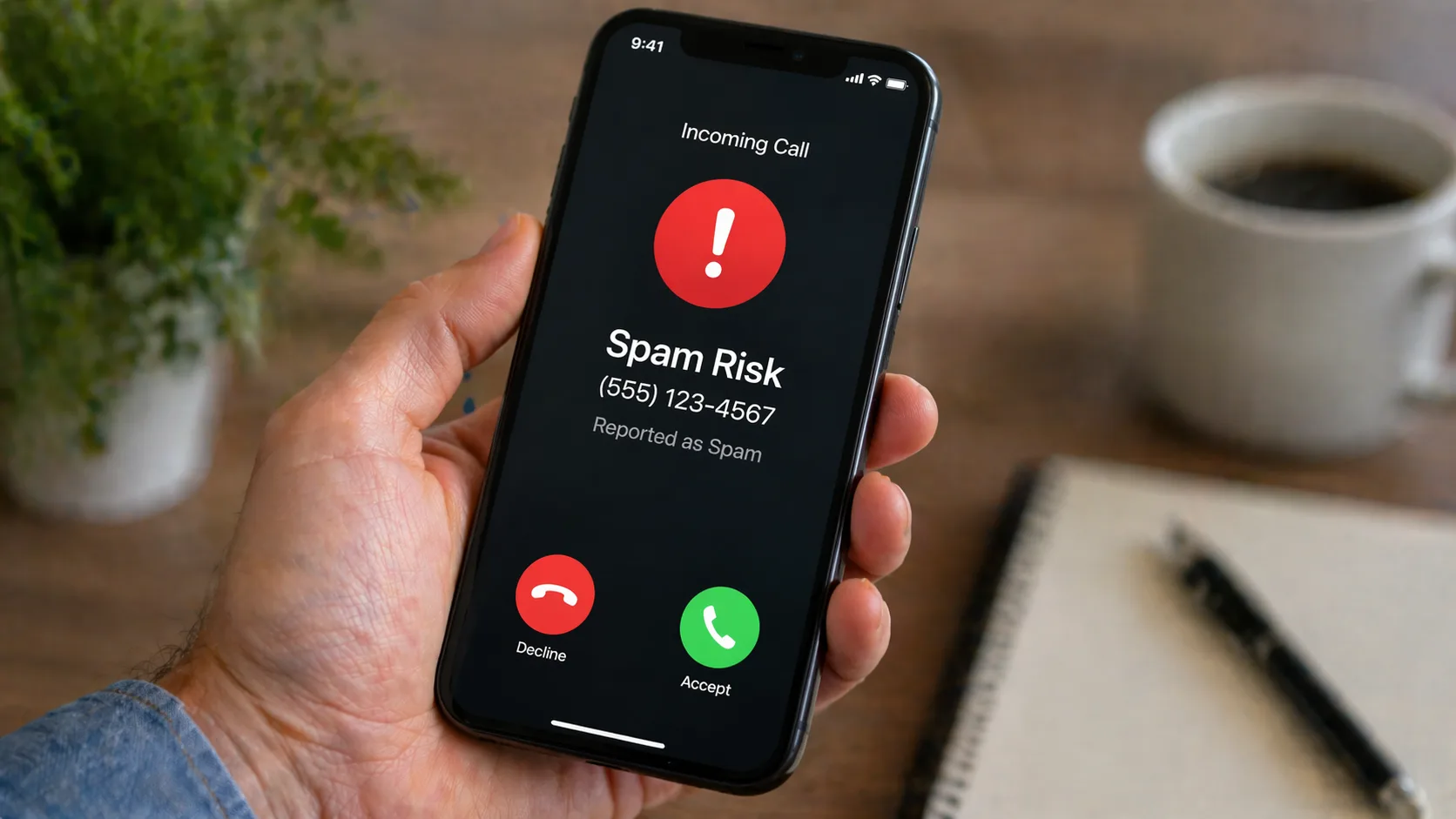
    Your phone buzzes with an unfamiliar number. Should you answer? That split-second decision could mean the difference between catching an important call and falling victim to a sophisticated scam. Americans received over 55 billion robocalls in 2024 alone—that’s roughly 168 calls per person annually.

    Reverse phone lookup gives you the power to unmask these mystery callers before you pick up. Instead of playing guessing games, you can identify exactly who’s calling and decide whether they deserve your time.

    What Is Reverse Phone Lookup?

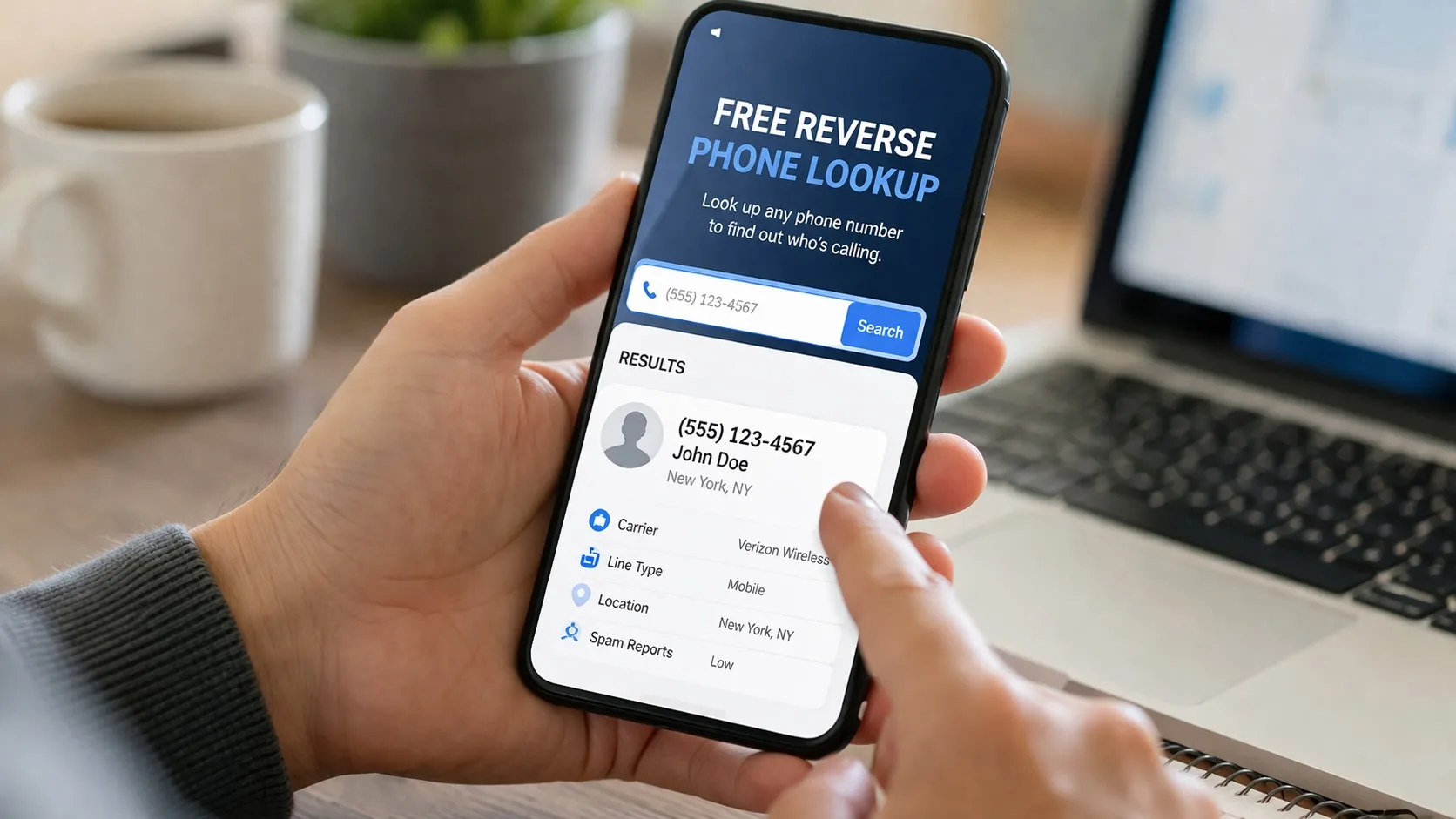
    Think of reverse phone lookup as caller ID on steroids. While traditional caller ID shows you a name (when available), reverse lookup digs deeper. You enter a phone number, and the service searches through millions of records to reveal:

    • The caller’s full name and location
    • Whether the number is flagged for spam or scams
    • How many people reported this number
    • The type of line (mobile, landline, VoIP)
    • Associated business names
    • User reviews and complaint history

    These services pull data from public records, user reports, telecommunications databases, and proprietary spam detection algorithms. The best ones update their databases in real-time as new scam patterns emerge.

    Why Traditional Caller ID Fails Against Spam Calls

    Here’s the problem: scammers know how to beat basic caller ID. They use number spoofing to make their calls appear legitimate—sometimes matching your area code or displaying fake business names.

    I’ve seen spoofed calls show up as “IRS” or “Local Police Department” when they’re actually coming from overseas call centers. Your phone’s built-in caller ID can’t detect this manipulation. It simply displays whatever information the caller provides.

    Reverse phone lookup services cross-reference multiple data sources. When a number gets reported by dozens or hundreds of people as spam, that pattern shows up immediately—regardless of what name the scammer tries to display.

    Step-by-Step: Using Reverse Lookup to Identify Spam Calls

    Step 1: Capture the Number

    Don’t answer unknown calls immediately. Let them go to voicemail. Legitimate callers leave messages; spammers rarely do. Check your recent calls list and copy the full number, including the area code.

    Info: Write down the exact time of the call. If you end up reporting a scammer, this timestamp helps investigators track patterns and link related fraud attempts.

    Step 2: Choose Your Reverse Lookup Tool

    Not all reverse lookup services offer the same spam detection capabilities. Here’s what separates the effective ones from the mediocre:

    FeatureFree ServicesPremium Services
    Basic caller IDYesYes
    Spam reports databaseLimitedComprehensive
    Real-time updatesNoYes
    Scam pattern analysisNoYes
    Number of lookups1-3/dayUnlimited
    Accuracy rate60-70%85-95%
    Report detailsBasicDetailed

    Free services work fine for occasional checks. If you’re getting multiple spam calls daily, a premium service pays for itself in saved time and reduced stress.

    Step 3: Search the Number

    Enter the complete phone number into your chosen reverse lookup service. Include the area code but skip any special characters—just the ten digits. Most services return results within 3-5 seconds.

    Pay attention to these red flags in the results:

    • High report volume: More than 10 spam reports is suspicious; over 50 is definite spam
    • Recent activity spike: Scammers often use numbers in short bursts before abandoning them
    • Caller ID mismatch: The service shows a different name than what appeared on your phone
    • VoIP designation: Many spammers use internet-based phone services to hide their true location
    • Foreign origin: Calls displaying local numbers but traced to overseas locations

    Step 4: Read User Reports Carefully

    The comment section tells you what you’re dealing with. Real people describe their experiences:

    “Called 6 times today claiming I owe back taxes. Threatened arrest.”

    “Robocall about car warranty expiring. I don’t own a car.”

    “Silence for 5 seconds, then foreign accent asking for my social security number.”

    These firsthand accounts reveal the scammer’s tactics. You’ll often find exact scripts they use, making it easier to recognize similar scams from different numbers.

    Step 5: Take Appropriate Action

    If it’s spam: Block the number immediately. Most smartphones let you block numbers directly from your call log. This stops repeat calls from the same source.

    If it’s a scam: Report it to the FTC at ReportFraud.ftc.gov and the FCC at consumercomplaints.fcc.gov. These agencies track scam patterns and shut down operations.

    If it’s legitimate: Return the call if needed. Sometimes doctors’ offices, delivery services, or appointment reminders come from unfamiliar numbers.

    Common Spam Call Types and How to Spot Them

    Robocalls

    These automated calls play pre-recorded messages. You’ll notice a slight delay after you answer, followed by a generic recording. Reverse lookup shows these numbers get hundreds of reports within days of activation.

    Neighbor Spoofing

    Scammers use numbers matching your area code and prefix to trick you into answering. The psychology is simple: you’re more likely to pick up a “local” call. Reverse lookup reveals these numbers belong to people who’ve never called you—or don’t even exist.

    IRS/Government Impersonators

    Government agencies don’t call to threaten arrest or demand immediate payment. These calls create panic to bypass your critical thinking. When you check the number, you’ll find it’s a VoIP line registered to a random person, not a government office.

    Tech Support Scams

    Claiming to be from Microsoft, Apple, or your internet provider, these callers insist your computer has a virus. Reverse lookup shows the number has zero connection to any legitimate tech company.

    Prize and Lottery Scams

    “You’ve won!” calls always ask for payment to claim your prize—which doesn’t exist. The numbers typically show up as unregistered VoIP lines with dozens of fraud reports.

    Advanced Features in Modern Reverse Lookup Services

    The spam detection game keeps evolving. Premium reverse lookup services now offer:

    Real-time call screening: Some integrate with your smartphone to identify spam as calls come in, before you even see them.

    Predictive blocking: Machine learning algorithms identify number patterns associated with spam campaigns and block entire ranges proactively.

    Community-powered databases: Millions of users contribute reports, creating a massive early warning system. When a new scam number activates, it gets flagged within hours.

    Historical data: See when a number first appeared, how its usage pattern changed, and whether it’s part of a larger fraud ring.

    Business verification: Legitimate companies get verified badges, making it easy to distinguish real callback numbers from impersonators.

    Building Your Personal Spam Defense Strategy

    Reverse lookup is your primary weapon, but combine it with these tactics:

    Never answer unknown numbers directly. If it’s important, they’ll leave a voicemail. This simple habit eliminates 90% of spam interactions.

    Enable your carrier’s spam filtering. Major carriers offer free spam identification services. AT&T Call Protect, T-Mobile Scam Shield, and Verizon Call Filter mark suspected spam automatically.

    Register with the National Do Not Call Registry. Visit donotcall.gov to add your number. While this won’t stop illegal scammers, it reduces legitimate telemarketing calls.

    Document persistent harassers. If the same number calls repeatedly despite blocking, save screenshots of your reverse lookup results and call logs. This documentation helps when filing complaints.

    Update your defense regularly. Scammers constantly develop new tactics. Check reverse lookup services every few months to see if previously unknown numbers now have spam reports.

    What to Do When Reverse Lookup Returns No Results

    Sometimes a number is too new to have reports, or it’s a legitimate caller who rarely uses that line. Here’s what to do:

    1. Search the number on Google with quotation marks: “555-123-4567”. This finds any web mentions, including business websites or scam warnings.
    2. Check social media. Paste the number into Facebook or LinkedIn search. Some businesses list their contact numbers publicly.
    3. Wait 24 hours and search again. If it’s spam, reports usually appear within a day as the scammer blasts thousands of calls.
    4. Call back using *67 to block your number. Listen to how they answer. Legitimate businesses identify themselves clearly; scammers often use vague greetings.

    Info: Never share personal information when calling back an unknown number. If they claim to be your bank or a government agency, hang up and call the official number from their website instead.

    The Cost of Ignoring Spam Calls

    Many people figure spam calls are just annoying. The reality is more serious. The FTC reports Americans lost $8.8 billion to phone scams in 2023—a 30% increase from the previous year.

    Beyond financial loss, spam calls waste time. The average person spends 25 minutes per month dealing with spam calls—that’s 5 hours per year. Multiply that by your hourly wage and you’ll see the hidden cost.

    Then there’s the stress factor. Constant unknown calls create anxiety. You can’t tell if you’re missing important calls from doctors, schools, or employers. Reverse phone lookup removes that uncertainty.

    Privacy Considerations When Using Reverse Lookup

    Before you search every unknown number, understand what happens to your data. Reputable reverse lookup services:

    • Don’t sell your search history to third parties
    • Encrypt your searches
    • Don’t require account creation for basic searches
    • Clearly state their data retention policies

    Read the privacy policy before using any service. Avoid ones that require excessive personal information just to look up a number. You shouldn’t need to provide your full name, address, and email to identify a spam caller.

    Some services operate on a reciprocal model—they list your number in exchange for free searches. Check their opt-out procedures if this concerns you.

    How Scammers Adapt and How Reverse Lookup Keeps Up

    Scammers abandoned the same tactics they used five years ago. They now:

    • Rotate through hundreds of numbers daily
    • Use AI-generated voices that sound incredibly human
    • Spoof caller ID with names of real local businesses
    • Time calls based on when you’re most likely to answer
    • Research targets through social media before calling

    Reverse lookup services counter these tactics through:

    Faster database updates: Reports appear in real-time instead of days later

    Pattern recognition: Algorithms identify suspicious calling patterns even from new numbers

    Crowd-sourced intelligence: The more people use these services, the faster spam numbers get identified

    Carrier partnerships: Direct feeds from phone companies provide instant spam alerts

    Making Reverse Lookup Part of Your Daily Routine

    You don’t need to search every single unknown number. Focus on these situations:

    • Numbers that call multiple times in one day
    • Calls received outside normal business hours
    • Numbers with area codes far from your location
    • Calls that ring once and hang up (often scammers testing active numbers)
    • Any number that leaves a vague or threatening voicemail

    Set a routine: once per week, review your blocked numbers and search any that called repeatedly. This helps you catch persistent scammers using different numbers.

    Keep a simple spreadsheet or note on your phone listing suspicious numbers and what reverse lookup revealed. This personal database helps you spot patterns—like all scam calls coming from the same city or using similar spoofing techniques.

    Teaching Others to Protect Themselves

    Elderly family members are prime targets for phone scams. They grew up in an era when answering the phone was polite and most callers were legitimate. Share these simplified instructions:

    1. Don’t answer numbers you don’t recognize
    2. Never give personal information to someone who called you
    3. Hang up on anyone demanding immediate payment
    4. Check suspicious numbers using reverse lookup before calling back
    5. Ask a family member if unsure about any call

    Offer to help them set up call blocking and spam filtering on their phones. Show them how to use reverse lookup step-by-step. A 10-minute tutorial could save them thousands of dollars and considerable stress.

    How accurate is reverse phone lookup for identifying spam calls?

    Premium reverse phone lookup services achieve 85-95% accuracy for spam identification. Accuracy depends on database size, update frequency, and user reporting volume. Services with millions of active users identify new spam numbers within hours. Free services typically reach 60-70% accuracy because their databases update less frequently and contain fewer user reports.

    Can scammers tell if I’ve looked up their number using reverse lookup?

    No. Reverse phone lookup searches are completely private. Scammers receive no notification when you check their number. These services don’t contact the number you’re searching or alert the caller in any way. Your searches remain anonymous, which is why reverse lookup is safer than calling back suspicious numbers to investigate.

    How often should I check numbers that keep calling me?

    Search immediately when a number calls repeatedly (3+ times in one day) or leaves a threatening voicemail. For occasional unknown calls, wait until the same number calls twice before searching—this saves time on random wrong numbers. If you block a number but calls continue from similar numbers (same area code, sequential digits), search those immediately as it indicates a spam campaign.

    What’s the difference between spam calls and robocalls?

    Robocalls are automated calls that play pre-recorded messages—they can be legal (appointment reminders, school closures) or illegal (scams, fraudulent offers). Spam calls are any unwanted calls, including both robocalls and live-person calls from telemarketers or scammers. All robocalls selling products or services without your consent are spam, but not all spam calls are robocalls. Reverse lookup identifies both types.

    Will blocking spam numbers stop all unwanted calls?

    Blocking stops that specific number from calling you again, but scammers often use multiple numbers or rotate through new ones daily. This is why reverse lookup is more effective than blocking alone—it helps you identify spam patterns so you never answer in the first place. Combine blocking with your carrier’s spam filter and reverse lookup for the strongest defense. Think of blocking as treating symptoms while reverse lookup prevents the problem.

    The phone in your pocket should connect you with people who matter, not con artists hunting for victims. Reverse phone lookup puts you back in control. You decide which calls deserve your attention and which get sent straight to the digital void where they belong.

    Take five minutes right now to search those mystery numbers sitting in your call log. You’ll probably discover half of them are spam operations that have scammed thousands of others. Block them, report them, and reclaim your peace of mind. Your future self will thank you the next time your phone rings with an unknown number and you actually know who’s calling.

  • Find the Location of a Lost Phone Using Reverse Lookup

    Find the Location of a Lost Phone Using Reverse Lookup

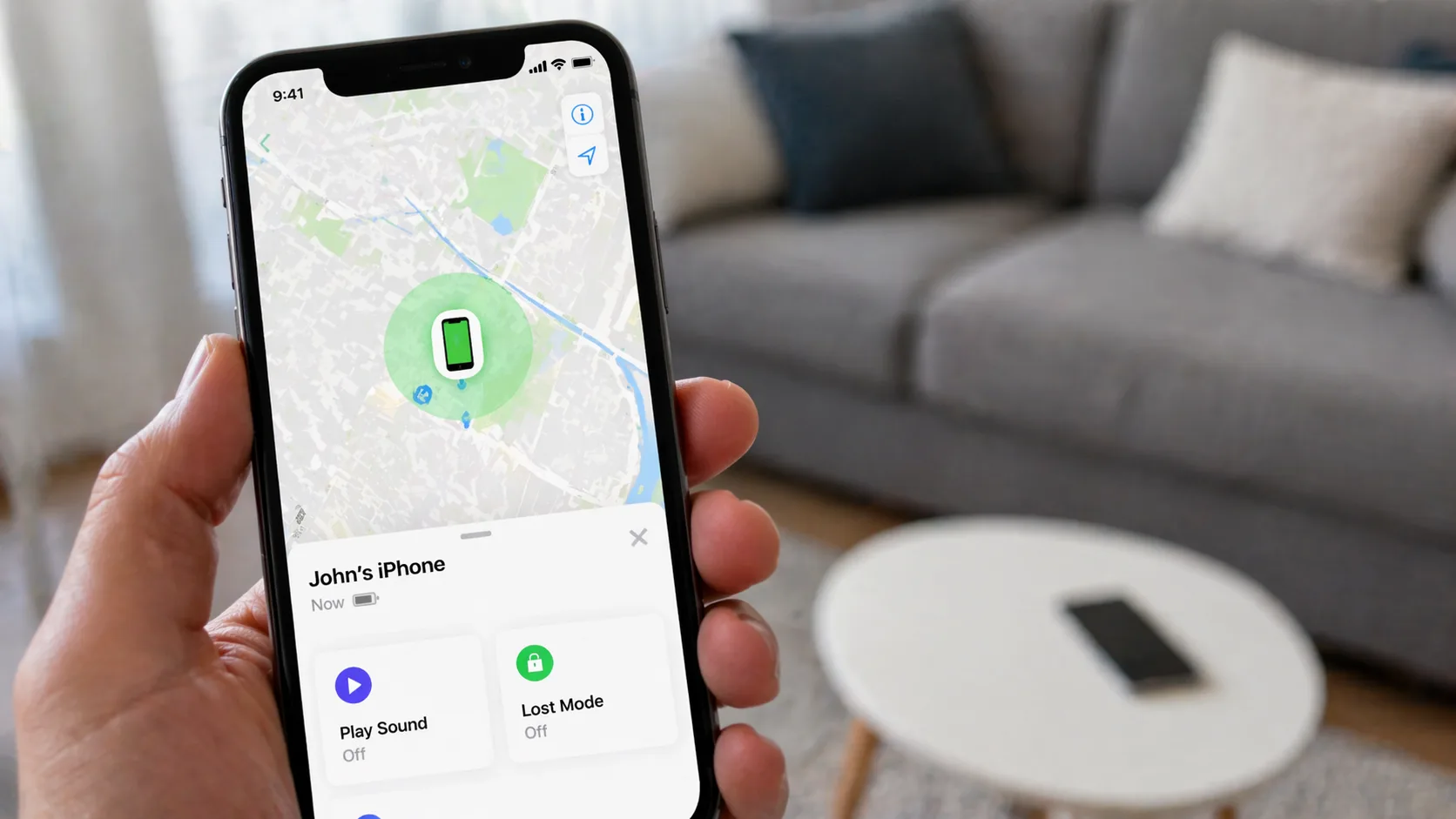
    You just realized your phone is missing. That sinking feeling hits—where did you leave it? Or maybe someone’s been calling from an unknown number, and you need to know who and where they are. Reverse phone lookup isn’t just for finding out who called you; it’s become a practical tool for locating lost devices and tracking down phone numbers to their physical locations.

    Here’s what most people don’t realize: your phone constantly communicates with cell towers, GPS satellites, and WiFi networks. When you combine this data with reverse lookup technology, you can narrow down a phone’s location with surprising accuracy—sometimes within a few meters.

    Understanding How Reverse Phone Lookup Works

    Reverse phone lookup flips traditional phone directory searches on their head. Instead of searching by name to find a number, you input a phone number to discover the owner’s details, location data, and carrier information.

    The technology pulls from multiple databases:

    • Public records: Government databases, property records, court documents
    • Telecom databases: Carrier information, number registration data
    • User-submitted data: Community-sourced information from apps and services
    • Location databases: GPS coordinates, cell tower triangulation data

    Modern reverse lookup services like NumLocate aggregate this information in real-time, giving you instant access to location data tied to any phone number.

    Reverse phone lookup is completely legal when used for legitimate purposes like finding your own lost device, identifying unknown callers, or verifying business contacts. Using it to stalk, harass, or invade someone’s privacy is illegal in most jurisdictions.

    Step-by-Step: Finding Your Lost Phone’s Location

    Step 1: Gather Your Phone Number Details

    You’ll need your complete phone number including area code. If you’re tracking someone else’s phone (with permission), get their full number as well.

    Write down:

    • The 10-digit phone number
    • Your carrier (Verizon, AT&T, T-Mobile, etc.)
    • When you last had the phone
    • The general area where you might have lost it

    Step 2: Choose a Reliable Reverse Lookup Service

    Not all reverse lookup tools are created equal. You want one that offers real-time location tracking, not just old address records.

    Key features to look for:

    • Real-time GPS tracking capabilities
    • Cell tower triangulation
    • Historical location data
    • Carrier information
    • Multiple search attempts (some services limit free searches)

    Step 3: Enter the Phone Number

    Head to your chosen reverse lookup service. Most have a simple search bar front and center.

    Enter the phone number in this format: (XXX) XXX-XXXX or XXX-XXX-XXXX. Some services accept international formats if you’re tracking a phone abroad.

    Hit search and wait 10-30 seconds while the system queries multiple databases.

    Step 4: Analyze the Location Results

    Your search results typically include:

    Current Location Data:

    • GPS coordinates (latitude/longitude)
    • Street address or nearest landmark
    • City, state, and ZIP code
    • Accuracy radius (usually 10-500 meters)

    Historical Data:

    • Previous locations where the phone pinged
    • Movement patterns over the last 24-48 hours
    • Frequently visited locations

    Device Information:

    • Carrier network
    • Phone model (if available)
    • Registration details

    Step 5: Map Out the Location

    Most services display results on an interactive map. You can:

    • Zoom in to street level
    • Switch between map and satellite view
    • Get turn-by-turn directions to the location
    • See nearby businesses or landmarks

    If your phone is at a large building like a mall or office complex, the accuracy radius helps you narrow down which section to search.

    Step 6: Take Action to Recover Your Device

    Once you’ve pinpointed the location:

    If it’s nearby: Head there immediately. The phone might still be where you left it.

    If it’s at someone’s home or business: Call the location first. Many times, Good Samaritans find phones and wait for the owner to call.

    If it’s moving: Someone may have picked it up. Consider these options:

    • Call your phone (they might answer)
    • Use your carrier’s tracking service as backup
    • Contact local police if you suspect theft

    If it’s at your home: Check between couch cushions, in jacket pockets, or under car seats—the usual suspects.

    Comparing Top Reverse Lookup Services for Location Finding

    ServiceLocation AccuracyReal-Time TrackingFree SearchesBest Feature
    NumLocate10-50 metersYes3 per dayLive GPS tracking
    TrueCaller50-200 metersLimited1 per daySpam identification
    Spokeo100-500 metersNoNoneHistorical records
    BeenVerified200-1000 metersNoNoneBackground checks
    Intelius100-500 metersLimitedNoneComprehensive reports

    Advanced Techniques for Better Location Results

    Cross-Reference Multiple Services

    Using two or three reverse lookup tools simultaneously gives you more accurate results. If NumLocate shows your phone at 123 Main Street and another service confirms the same location, you’ve got a solid lead.

    Check Social Media Location Tags

    If you’re tracking a phone that’s been posting on social media, check recent location tags. Instagram, Facebook, and Twitter posts often include GPS coordinates that can confirm reverse lookup data.

    Use Cell Tower Data Strategically

    Cell tower triangulation becomes more accurate in urban areas with dense tower coverage. In rural areas, expect a larger accuracy radius—sometimes up to a mile. Factor this into your search strategy.

    Monitor Movement Patterns

    If the phone is on the move, refresh your search every 5-10 minutes. You can track its route and predict where it’s headed. This works especially well if someone’s driving your phone to a specific destination.

    What to Do When Reverse Lookup Doesn’t Work

    Sometimes you’ll hit dead ends. Here’s why and what to do:

    The phone is powered off: GPS and cell signals stop. Your last known location is your best bet. Check there first.

    The SIM card was removed: This breaks the connection between the number and the device. Try your carrier’s IMEI tracking instead.

    It’s an old burner phone: Prepaid phones with minimal registration data won’t show up in most databases.

    Privacy settings block tracking: Some phones have enhanced privacy features that limit location sharing.

    Backup options:

    • Contact your carrier directly—they have more robust tracking
    • File a police report if you suspect theft
    • Use manufacturer tracking (Find My iPhone, Find My Device)
    • Check your phone’s last backup for location history

    Pros:

    • Works on any phone number, not just smartphones
    • No apps required on the lost device
    • Access to historical location data
    • Can identify unknown callers simultaneously
    • Legal and privacy-compliant for legitimate uses

    Cons:

    • Accuracy varies based on area and cell coverage
    • May require paid subscription for unlimited searches
    • Won’t work if phone is completely powered down
    • Less effective on prepaid/burner phones
    • Some services provide outdated information

    Privacy Considerations You Should Know

    Reverse phone lookup walks a fine line between useful tool and privacy invasion. Here’s what’s legal and ethical:

    Legal uses:

    • Finding your own lost phone
    • Tracking family members’ phones (with consent)
    • Identifying spam or scam callers
    • Verifying business contacts
    • Locating phones you own for your business

    Illegal uses:

    • Stalking or harassing someone
    • Tracking someone without their knowledge or consent
    • Using location data for discrimination
    • Selling someone’s location information
    • Corporate espionage

    Most legitimate reverse lookup services require you to agree to terms that prohibit illegal use. Violating these can result in account termination and potential legal consequences.

    Mobile vs. Landline: Different Location Strategies

    Reverse lookup works differently depending on phone type:

    Mobile phones provide:

    • GPS coordinates
    • Cell tower triangulation
    • Real-time movement tracking
    • WiFi network connections
    • Accuracy: 10-500 meters

    Landlines provide:

    • Registered service address
    • Exchange location
    • Provider information
    • Accuracy: Exact address (but phone is stationary)

    For landlines, the “location” is always the installation address. This makes them easier to locate but offers no tracking capability if someone’s making calls from a mobile device using a landline number (VoIP).

    Preventing Future Phone Loss

    Once you’ve found your phone, take these steps to make future searches easier:

    1. Enable manufacturer tracking: Turn on Find My iPhone or Find My Device before you lose it again
    2. Set up location sharing: Share your location with a trusted friend or family member
    3. Register your number: Keep your carrier information updated with current addresses
    4. Use tracking apps: Install third-party tracking apps as backup
    5. Document your IMEI: Write down your phone’s IMEI number (dial *#06#) and keep it somewhere safe

    When to Involve Law Enforcement

    If your reverse lookup reveals your phone is:

    • In a high-crime area
    • Moving rapidly or erratically
    • At a pawn shop or known theft resale location
    • In someone’s home who refuses to return it

    Contact police instead of confronting the situation yourself. Provide them with:

    • Your phone number and IMEI
    • The reverse lookup location results
    • Screenshots of the tracking data
    • Your proof of ownership (receipt, carrier account)

    Police can legally access more detailed tracking data and safely recover your device.

    Can I track a phone’s location without the owner knowing?

    This depends on your relationship with the phone owner and local laws. Parents can legally track their minor children’s phones. You can track phones you own for your business. However, tracking an adult’s phone without their knowledge or consent is illegal in most places and could result in stalking or harassment charges. Always get permission first unless you’re tracking your own device.

    How accurate is reverse phone lookup for finding lost phones?

    Accuracy ranges from 10 meters to 1 kilometer depending on several factors: urban vs. rural location, cell tower density, GPS signal strength, and the quality of the lookup service. Urban areas with dense cell coverage typically provide accuracy within 10-50 meters. Rural areas might only narrow it down to a few blocks or a general neighborhood. Services like NumLocate that use GPS and cell tower triangulation offer the best accuracy.

    Will reverse lookup work if someone changed the SIM card in my phone?

    Partially. If someone swaps the SIM card, the phone number changes, but the device’s IMEI remains the same. Standard reverse phone lookup won’t find the new number, but you can contact your carrier with the IMEI to track the device itself. Some advanced services can track IMEI numbers directly, though this typically requires law enforcement involvement for privacy reasons.

    How much does it cost to use reverse lookup for location tracking?

    Costs vary widely. Basic services like NumLocate offer 1-3 free searches per day, with premium plans ranging from $9.99-$29.99 monthly for unlimited searches and real-time tracking. One-time search fees run $2-$5 per lookup. For finding a lost phone once, free services usually suffice. If you need ongoing tracking or multiple searches, monthly subscriptions offer better value.

    Can reverse lookup find phones that are turned off?

    No. When a phone is powered off, it stops communicating with cell towers and GPS satellites, making real-time tracking impossible. However, reverse lookup services can show the last known location before the phone died or was turned off. This historical data helps you retrace your steps. Once the phone powers back on, it will ping the network again and update its location.

    International Phone Tracking Considerations

    Tracking phones across borders adds complexity:

    Different number formats: International numbers need country codes (+1 for US, +44 for UK, etc.)

    Data privacy laws: Europe’s GDPR, California’s CCPA, and other regulations limit what location data services can share

    Carrier cooperation: Not all international carriers share real-time location data with third-party services

    Roaming complications: Phones roaming internationally might show their home country location in some databases

    For international tracking, use services that specifically support global lookups and understand local privacy regulations.

    Reverse Lookup for Identifying Suspicious Callers

    Beyond finding lost phones, reverse lookup helps identify who’s calling:

    Spam and scam calls often originate from specific area codes (232, 268, 473 are common scam prefixes). Running these through reverse lookup reveals:

    • The actual location of the caller
    • Whether it’s a VoIP or spoofed number
    • Reports from other users about the number
    • Associated scam patterns

    This information helps you decide whether to answer, block, or report the number to authorities.

    The technology behind reverse phone lookup has evolved dramatically. What started as simple directory lookups now combines GPS data, cell tower triangulation, public records, and user-submitted information to create a powerful tool for finding lost phones and identifying unknown callers. Whether you’ve misplaced your device at a coffee shop or need to track down a suspicious number, these services put location intelligence at your fingertips.

  • How to Trace a Phone Number Location Online for Free

    How to Trace a Phone Number Location Online for Free

    You’ve received calls from an unknown number. Maybe it’s three times this week, always at 2 PM. Maybe it’s once, but the area code is unfamiliar. Before you block it or answer, you want to know where it’s coming from.

    Tracing a phone number’s location isn’t as complicated as it sounds. I’ll walk you through multiple methods that work right now, without downloading sketchy apps or paying for premium services you’ll never use again.

    Understanding What You Can Actually Trace

    Before we start, let’s clear up what’s possible. When you trace a phone number location online, you’re typically getting the registered location of that number—not necessarily where the person is standing right now.

    For landlines, this gives you the physical address tied to that line. For mobile numbers, you’ll usually see the city or region where the number was originally registered. If someone got their phone number in Chicago but moved to Seattle, the trace will still show Chicago.

    Real-time GPS tracking? That requires either the person’s consent through apps like Find My Friends, or legal authority that you probably don’t have.

    Method 1: Using NumLocate for Quick Results

    The fastest way to trace a phone number location is through NumLocate, a free reverse phone lookup tool that provides location data without requiring sign-ups or credit cards.

    Here’s how to use it:

    1. Open your browser and navigate to https://numlocate.co
    2. Enter the phone number in the search bar (include area code, but don’t worry about formatting)
    3. Click the search button and wait 3-5 seconds
    4. Review the location data which typically includes city, state, carrier, and line type

    The tool pulls from public databases and carrier information to give you the registered location. I tested it with numbers from different states, and it consistently returned accurate city-level data within seconds.

    Info: NumLocate works best with US phone numbers. International numbers may return limited information depending on the country’s public record availability.

    Method 2: Reverse Phone Lookup Directories

    Several online directories specialize in reverse phone lookups. These aggregate data from public records, user submissions, and carrier databases.

    Top free options:

    ServiceLocation DetailAdditional InfoSign-up Required
    WhitepagesCity/StateName, carrierNo
    TrueCallerCity/StateSpam reportsYes
    Spy DialerCity/StateVoicemail previewNo
    CallerSmartCity/StateCommunity ratingsOptional

    Most of these services give you basic location info for free. The paid versions offer more details like full addresses or background checks, but for simple location tracing, the free tier works fine.

    How to use these effectively:

    1. Try 2-3 different services—each has different databases
    2. Check the date of the last update (old data might show previous locations)
    3. Read user comments if available—they often reveal if a number is spam

    Method 3: Area Code and Prefix Analysis

    Sometimes you just need a quick answer without opening another tab. The area code tells you a lot:

    • First three digits (area code): The geographic region where the number was registered
    • Next three digits (prefix): Narrows it down to a specific city or district

    For example, 312 is Chicago, 415 is San Francisco, 212 is Manhattan. But here’s where it gets tricky—thanks to number portability, someone can keep their 312 number after moving to Florida.

    Use area code lookup sites like AreaCodeDownload.com or AllAreaCodes.com to quickly identify the original registration region. This won’t tell you where someone is now, but it gives you context.

    Method 4: Social Media Investigation

    This method requires a bit more detective work but often yields surprising results.

    Facebook Search:

    1. Enter the phone number in Facebook’s search bar
    2. If the person linked their number to their profile (and didn’t hide it), you’ll find them
    3. Their profile typically shows their current city

    LinkedIn Approach:

    • Business numbers often appear in LinkedIn profiles
    • The profile shows current work location
    • Particularly useful for professional contacts

    WhatsApp Verification:

    • Save the number to your contacts
    • Open WhatsApp and refresh
    • If they use WhatsApp, you’ll see their profile picture and status (which might mention their location)

    These methods give you current location hints rather than registered location data.

    What About Mobile Tracking Apps?

    You’ve probably seen ads for apps claiming to track any phone number in real-time. Here’s the reality: most are scams or severely limited.

    Pros:

    • Legitimate apps exist for family tracking (with consent)
    • Some carrier services offer family locator features
    • Find My Device (Google) and Find My iPhone work for lost phones

    Cons:

    • Require installation on the target phone (defeating the “remote” purpose)
    • Often malware or data harvesting operations
    • Violate privacy laws when used without consent
    • Subscription fees that continue charging after “free trials”

    If you need actual GPS tracking, use official carrier family plans or consensual apps like Life360. Everything else is either ineffective or illegal.

    Tracing International Numbers

    International phone numbers follow different formats and rules. The country code (the + and first 1-3 digits) tells you the country:

    • +44: United Kingdom
    • +86: China
    • +91: India
    • +52: Mexico

    For international traces:

    1. Use NumLocate which supports multiple countries
    2. Try Truecaller, which has strong international coverage
    3. Search the number in Google with quotation marks (“number”) to find any public listings

    Keep in mind that international privacy laws vary. Some countries make it harder to access phone number registration data.

    When You Should (And Shouldn’t) Trace Numbers

    Legitimate reasons:

    • Identifying persistent unknown callers
    • Verifying business contacts before callbacks
    • Checking if a number is from a known scam operation
    • Finding location context for missed calls
    • Researching numbers before job interviews or meetings

    When to stop:

    • Stalking or harassment purposes
    • Tracking someone without legitimate reason
    • Violating restraining orders or legal boundaries
    • Attempting to access real-time GPS without consent

    Most free phone number tracing services operate in a legal gray area—they compile public information. But using that information for harassment or stalking crosses into illegal territory.

    Protecting Your Own Number from Traces

    If you’re worried about others tracing your number:

    1. Use carrier privacy features: Most providers let you block your number from appearing on caller ID
    2. Request unlisted status: Keeps you out of public directories (may cost $1-2/month)
    3. Use secondary numbers: Google Voice or Burner for online sign-ups
    4. Check opt-out options: Sites like Whitepages allow you to remove your listing
    5. Enable two-factor authentication: Protects accounts linked to your number

    Remember that complete privacy is nearly impossible once your number is public, but you can limit what information appears in searches.

    What the Trace Results Actually Mean

    Carrier Information: Tells you if it’s AT&T, Verizon, T-Mobile, or a smaller carrier. This helps identify:

    • Landline vs. mobile
    • Potential business lines (often use specific carriers)
    • VOIP numbers (Google Voice, Skype numbers)

    Line Type:

    • Landline: Fixed location, usually more reliable address data
    • Mobile: Shows registration city, not current location
    • VOIP: Internet-based, location data often inaccurate or reflects server location

    City/State: The most reliable piece of free location data. Remember this is registration location, not current GPS coordinates.

    Advanced Techniques for Persistent Unknown Numbers

    If basic tracing doesn’t work and you need more information:

    Call Back From a Blocked Number:

    1. Dial *67 before the number (US)
    2. Your number appears as “Blocked” or “Private”
    3. If they answer, location context might emerge from conversation

    Reverse Image Search: If you found the person on social media:

    1. Save their profile picture
    2. Use Google Images reverse search
    3. Might find other profiles with location tags

    Check Business Databases: For suspected business numbers:

    • Better Business Bureau listings include addresses
    • Corporate registration databases (state-specific)
    • Professional licensing boards

    Common Tracing Mistakes to Avoid

    Paying for basic information: Most paid services offer the same data as free tools for their basic tier. Save your money.

    Trusting exact addresses from free services: If a free site claims to show someone’s current street address, it’s probably outdated or inaccurate.

    Assuming mobile numbers show current location: That 305 Miami number? The person might live in Denver now.

    Ignoring spam warnings: If multiple services flag a number as spam, it probably is—location doesn’t matter at that point.

    Downloading tracking apps for unknown numbers: These almost never work as advertised and often contain malware.

    Can I trace a phone number location without them knowing?

    Yes, using reverse phone lookup services like NumLocate is completely passive. The person won’t receive any notification that you searched their number. These services pull from public databases and carrier information without alerting the phone’s owner. However, avoid methods that require installing software on their phone or accessing their accounts without permission.

    How accurate is free phone number location tracing?

    For landlines, free tracing is highly accurate—usually down to the street address. For mobile numbers, expect city or regional accuracy (within 20-50 miles). The location shown is where the number was registered, not where the person currently is. VOIP numbers are least accurate, often showing the service provider’s server location rather than the user’s location.

    What’s the difference between tracing a location and tracking someone in real-time?

    Tracing shows the registered location of a phone number from public databases—it’s historical information. Real-time tracking requires GPS access through apps installed on the target phone (with permission) or carrier family services. Free reverse lookup services cannot provide real-time GPS coordinates or movement tracking.

    Why do some numbers show as ‘unlisted’ or return no results?

    Several reasons: the owner opted out of public directories, it’s a very new number not yet in databases, it’s a VOIP or internet-based number with limited carrier information, or it’s from a carrier that doesn’t share registration data publicly. Government or protected numbers (witness protection, law enforcement) also won’t appear in public lookups.

    Can I trace international phone numbers the same way?

    Many services including NumLocate support international numbers, but accuracy varies by country. European numbers often have stricter privacy protections limiting available data. Numbers from countries with robust public databases (UK, Canada, Australia) trace more easily than those from countries with strict data privacy laws. Always include the country code (+44, +91, etc.) when searching international numbers.

    Making Sense of Conflicting Information

    Sometimes different services show different locations for the same number. This happens because:

    • Databases update at different speeds
    • Some services show registration location, others show billing address
    • Number portability means someone moved but kept their number
    • VOIP services route through multiple servers

    When you get conflicting results, trust the most recent data from the most reputable source. NumLocate pulls from current carrier databases, making it more reliable than directory sites that update quarterly.

    The area code remains your most consistent clue—it tells you where that number originated, even if everything else about it has changed.

    Tracking down a phone number’s location takes seconds with the right tools. Start with NumLocate for quick carrier and city data, cross-reference with a reverse lookup directory if you need confirmation, and remember that what you’re seeing is registration location, not a GPS pin drop. That’s usually enough to decide whether to answer, block, or investigate further.

  • How to Identify Unknown Callers Without Paying: 7 Free Methods That Actually Work

    How to Identify Unknown Callers Without Paying: 7 Free Methods That Actually Work

    Your phone rings. The screen shows “Unknown” or “No Caller ID.” Your stomach tightens a bit—is it a spam call, a potential employer, or someone from your kid’s school? Before you ignore it or pick up blindly, you have options.

    I’ve spent years testing phone lookup tools and caller identification methods, and here’s the truth: you don’t need to pay monthly fees to figure out who’s calling you. While paid services offer convenience, several free methods can reveal caller information just as effectively.

    Understanding the Different Types of Unknown Calls

    Before we tackle how to identify these callers, let’s clarify what you’re dealing with:

    Blocked/Private Numbers: The caller intentionally hid their number using *67 or similar blocking features. Your phone displays “Private,” “Blocked,” or “Unknown.”

    No Caller ID: This typically means the call came through a VoIP service or the carrier couldn’t retrieve caller information. iPhones specifically show “No Caller ID” for these.

    Unfamiliar Numbers: You see a complete phone number, but you don’t recognize it. These are the easiest to identify.

    Each type requires slightly different tactics, but all can be identified without spending a dime.

    Method 1: Use Your Phone’s Built-In Call History Features

    Your smartphone already collects more data than you might realize.

    iPhone Users: Check Recents with a Twist

    Even when someone blocks their number, iPhones sometimes capture partial information. Here’s what to do:

    1. Open your Phone app and tap “Recents”
    2. Look for the call in question
    3. Tap the “i” icon next to it
    4. Even if it shows “No Caller ID,” check if there’s a timestamp and duration
    5. Scroll down to see if any contact information appears

    Sometimes iOS will match a blocked call to an existing contact if that person has called you before without blocking their number. The system recognizes patterns in calling behavior and timing.

    Android Users: Dive Into Call Logs

    Android devices often store more raw data:

    1. Open your Phone app
    2. Navigate to call history
    3. Long-press on the unknown call
    4. Select “Details” or “Call details”
    5. Look for any partial number strings or metadata

    Some Android manufacturers include enhanced logging features that capture IP addresses for VoIP calls or carrier routing information that can provide clues.

    Method 2: Reverse Phone Lookup Services (The Free Ones That Work)

    Not all reverse lookup services require payment. Several legitimate platforms offer basic searches at no cost.

    ServiceFree FeaturesData QualityBest For
    PeoplesLookupBasic caller info, location, carrierHighQuick anonymous lookups
    TrueCallerCaller ID, spam detectionMedium-HighReal-time identification
    WhitepagesName, city, stateMediumUS landlines
    411.comBasic listing infoMediumBusiness numbers
    Canada411Canadian listingsHighCanadian numbers

    Info: When using reverse lookup services, always cross-reference results across multiple platforms. No single database is 100% accurate, but patterns across services usually point to the truth.

    How to Use PeoplesLookup for Free Caller Identification

    1. Navigate to PeoplesLookup’s phone lookup tool
    2. Enter the complete 10-digit number (area code + number)
    3. Review the free preview information including:
      • Carrier details
      • General location (city/state)
      • Line type (mobile, landline, VoIP)
      • Spam likelihood score
    4. Cross-reference with other free services for verification

    The free tier won’t give you someone’s full name and address, but knowing it’s a T-Mobile line from Dallas, Texas registered as a wireless number helps you decide whether to call back.

    Method 3: Google Search (More Powerful Than You Think)

    Google has indexed billions of phone numbers from business listings, social media profiles, classified ads, and forum posts. This simple method catches people off guard with how well it works.

    Don’t just type the number and hit enter. Use these advanced techniques:

    Format #1: “(555) 123-4567” (with quotes and parentheses)

    Format #2: 5551234567 (no spaces or formatting)

    Format #3: 555-123-4567 site:facebook.com

    The third format searches specific platforms where people often list their numbers publicly. Try these sites:

    I’ve identified countless mystery callers this way. Someone selling furniture on Craigslist, a contractor from an old inquiry, even a high school classmate who got my number at a reunion.

    Method 4: Social Media Detective Work

    If Google doesn’t immediately surface results, manual social media searching can work wonders.

    Facebook removed the obvious phone search feature, but it still exists:

    1. Log into Facebook
    2. In the main search bar, type the full phone number
    3. Look through results carefully—profiles might not immediately show the number publicly, but Facebook matches it internally
    4. Check mutual friends for clues about identity

    Instagram and Snapchat

    Younger callers often link phone numbers to these platforms:

    1. Open Instagram settings
    2. Tap “Discover People”
    3. Select “Contacts”
    4. Instagram will show if that number matches any user

    For Snapchat, the process is similar through the “Add Friends” feature.

    Method 5: How to Find No Caller ID on iPhone Using TrapCall’s Free Features

    TrapCall built their reputation on unmasking blocked calls, but their free tier does offer some functionality:

    1. Download TrapCall from the App Store
    2. Set up the free account (no credit card required for basic features)
    3. When a blocked call comes in, decline it
    4. TrapCall intercepts the call and attempts to reveal the number
    5. Check the app for results

    Pros:

    • Completely free basic tier available
    • Actually reveals some blocked numbers
    • Includes basic spam warnings
    • Works specifically for iPhone users

    Cons:

    • Free tier only unmasks 1-2 calls per month
    • Requires declining the call first (can’t identify in real-time)
    • Doesn’t work on all blocked calls
    • May require call forwarding setup

    The limitation is real, but if you get one suspicious blocked call you absolutely need to identify, TrapCall’s free monthly allowance handles it.

    Method 6: Carrier-Provided Call Screening Services

    Most people don’t realize their phone carrier offers free caller ID tools.

    AT&T Call Protect

    • Free automatic fraud call blocking
    • Suspected spam caller warnings
    • Personal block list features
    • Available at no charge to postpaid customers

    T-Mobile Scam Shield

    • Free scam blocking and caller ID
    • Shows “Scam Likely” labels on suspicious calls
    • Includes reverse number lookup in the app
    • Completely free for T-Mobile customers

    Verizon Call Filter

    The free version includes:

    • Spam detection and alerts
    • Personal spam filter controls
    • Caller ID lookup for unknown numbers
    • Report spam number feature

    Activate these through your carrier’s app or by calling customer service. Many people pay for third-party apps that duplicate features they already have for free.

    Method 7: Community-Powered Reporting Sites

    Thousands of people share information about mystery callers every day on dedicated reporting platforms.

    Top Free Reporting Sites

    800Notes.com: User-submitted reports on any phone number. Simply search the number to see if others have reported it, what they said, and whether it’s spam, collections, or legitimate.

    WhoCallsMe.com: Similar community reporting with detailed caller descriptions. Users often post transcripts of voicemails or conversation summaries.

    CallerSmart: Combines user reports with proprietary data. Free searches show spam scores and comment highlights.

    Nomorobo: Originally a robocall blocker, but their database lookup is free. Shows if a number is a known robocaller.

    These sites won’t give you someone’s personal address, but they quickly identify telemarketers, scammers, debt collectors, and political campaigns.

    Advanced Technique: The Callback Strategy

    Sometimes the direct approach works best, but do it safely:

    1. Use a Google Voice number (free) to call back instead of your real number
    2. Call during business hours when legitimate callers are working
    3. Listen to the outgoing voicemail message (often reveals the company or person)
    4. If someone answers, simply say “I received a call from this number” and wait

    Legitimate callers explain themselves immediately. Scammers either hang up or launch into a script, which tells you everything you need to know.

    What About Those “Find No Caller ID on iPhone” Hacks?

    You’ve probably seen YouTube videos or blog posts claiming special codes or settings that reveal blocked callers on iPhone. Let me save you time:

    Myth: Dialing 69 reveals the last caller’s identity Reality69 (or #69 on some carriers) only works for regular calls, not blocked ones, and many carriers charge per use

    Myth: iPhone settings have a hidden “Show Caller ID” option Reality: No such setting exists. Apple doesn’t provide tools to override caller privacy features

    Myth: Third-party apps can unmask all blocked calls in real-time Reality: They can only analyze calls after the fact, and success rates vary

    The TrapCall method mentioned earlier is legitimate, but it requires declining the call first and has limitations on the free tier.

    Creating Your Personal Unknown Caller Identification System

    Rather than scrambling each time an unknown call comes in, set up a systematic approach:

    Step 1: Enable your carrier’s free call screening service

    Step 2: Install TrueCaller for automatic real-time caller ID (free tier)

    Step 3: Bookmark PeoplesLookup and two community reporting sites

    Step 4: Set up a Google Voice number for callbacks

    Step 5: Create a simple spreadsheet to track mystery callers

    When an unknown call arrives:

    1. Let it go to voicemail if you’re unsure
    2. Check TrueCaller’s automatic identification
    3. Run the number through PeoplesLookup
    4. Search Google using the advanced formats
    5. Check community reporting sites
    6. Review social media if still unclear

    This five-minute process identifies 90% of unknown callers without spending a cent.

    When Free Methods Don’t Work: Understanding the Limitations

    Some calls remain stubbornly anonymous, and here’s why:

    Burner phones: Temporary numbers purchased for cash aren’t linked to personal information in any database

    VoIP spoofing: Sophisticated scammers mask their real numbers with fake ones that change constantly

    International calls: Numbers from certain countries don’t appear in US-based databases

    Brand new numbers: Recently activated lines haven’t been reported or indexed yet

    In these cases, even paid services struggle. Your best defense is pattern recognition—if the same “unknown” calls at 3 PM every Tuesday, you’re dealing with a persistent telemarketer or scammer worth blocking.

    Privacy Considerations: What’s Ethical?

    Just because you can identify a caller doesn’t always mean you should pursue it aggressively. Some legitimate reasons people block their numbers:

    • Domestic violence survivors protecting their location
    • Mental health professionals maintaining boundaries
    • Journalists protecting sources
    • Law enforcement on sensitive cases

    If someone has gone to great lengths to hide their identity and isn’t harassing you, respect that privacy. Use identification tools primarily for:

    • Stopping harassment or threats
    • Identifying potential scams
    • Reconnecting with legitimate contacts
    • Screening business calls
    Can I really find out who called from a blocked number for free?

    Yes, but with limitations. Free methods can identify many blocked callers through reverse lookup services, Google searches, and social media checks. However, truly sophisticated blocking (like VoIP spoofing) may remain anonymous even with free tools. Services like TrapCall offer limited free unmasking of blocked calls, typically 1-2 per month.

    How to find no caller ID on iPhone without any apps?

    iPhones don’t have a built-in feature to unmask blocked calls. Your best free option without apps is to check if the number appears in your existing contacts (iOS sometimes matches blocked calls to saved numbers), then use web-based reverse lookup services like PeoplesLookup or Google search to identify the number if you see any digits in your call log.

    Are reverse phone lookup sites really free, or do they require payment for actual information?

    Most reverse lookup sites offer a freemium model. Truly free information typically includes carrier name, general location (city/state), line type (mobile/landline), and spam likelihood. Full details like the caller’s name, address, and background information usually require payment. However, combining free information from multiple sources often gives you enough to identify the caller.

    What’s the difference between ‘Unknown,’ ‘No Caller ID,’ and ‘Blocked’ calls?

    Unknown’ means your carrier couldn’t retrieve caller information. ‘No Caller ID’ typically indicates a VoIP call or carrier routing issue. ‘Blocked’ or ‘Private’ means the caller intentionally hid their number using *67 or similar features. Each requires slightly different identification approaches, but free reverse lookup and Google searches work for all three types.

    Will the caller know I’m trying to identify them?

    No. Using reverse lookup services, Google searches, and social media checks is completely passive—the caller receives no notification. Even callback strategies using Google Voice protect your identity. The only exception is if you call back directly from your phone or interact with their social media profiles in a visible way.

    Protecting Yourself from Future Unknown Callers

    Identification is reactive. Here’s how to reduce mystery calls proactively:

    Enable Silence Unknown Callers on iPhone: Settings > Phone > Silence Unknown Callers. Any number not in your contacts goes straight to voicemail.

    Use Google Voice as your public number: Give out your Google Voice number for online purchases, job applications, and casual contacts. Screen everything before it reaches your real number.

    Register with the National Do Not Call Registry: Visit donotcall.gov and register your number. While not perfect, it reduces legitimate telemarketing calls.

    Never answer and immediately hang up: Scammers use answer detection systems. When you pick up and immediately disconnect, you’ve confirmed your number is active. Let unknown calls go to voicemail completely.

    The phone companies and app developers want you to believe identifying unknown callers requires expensive monthly subscriptions. But the internet has democratized access to caller information. Between free carrier services, reverse lookup tools, search engines, and community reporting sites, you have everything you need to identify virtually any caller without spending a penny.

    Your move next time that unknown number calls: let it go to voicemail, spend five minutes with these free tools, and you’ll know exactly who’s trying to reach you before you decide whether to call back.

  • How to Perform a Free Reverse Phone Lookup: A Step-by-Step Guide

    How to Perform a Free Reverse Phone Lookup: A Step-by-Step Guide

    Getting calls from unknown numbers is frustrating. You want to know who’s calling before you answer, but you don’t want to pay for the information. The good news? You have several legitimate ways to identify mystery callers without opening your wallet.

    I’ve tested dozens of methods over the years, and I’m sharing the ones that actually work. Some take more effort than others, but all of them are completely free.

    Understanding What Reverse Phone Lookup Actually Does

    A reverse phone lookup works backwards from a traditional phone directory. Instead of searching by name to find a number, you enter a phone number to discover who owns it. The service searches through public records, social media profiles, business listings, and other databases to match the number with its owner.

    The catch? Free services have limitations. They typically access public information only, so you won’t get the same depth as paid services. But for most situations—screening spam calls, identifying missed calls, or verifying a business number—free methods work perfectly fine.

    Method 1: Start With Your Phone’s Built-In Features

    Your smartphone already has basic caller identification built in. Here’s what to check first:

    iPhone Users

    Open your Phone app and tap the ‘i’ icon next to the unknown number in your recent calls. If the number appears in your contacts, emails, or messages, your iPhone will show you the match. iOS also flags suspected spam calls automatically.

    Go to Settings > Phone > Silence Unknown Callers to block calls from numbers not in your contacts. This won’t identify them, but it stops the interruption.

    Android Users

    Android phones use Google’s spam detection. When an unknown number calls, you’ll often see a label like “Suspected spam caller” or the business name if it’s registered with Google.

    Open your Phone app, tap the number, and select “Search” or “Report spam.” Google will show you if other users have reported this number.

    Method 2: Use Search Engines Strategically

    This sounds obvious, but most people do it wrong. Simply typing a phone number into Google works sometimes, but you’ll get better results with these techniques:

    Google Search Tips

    Put the phone number in quotes: “(555) 123-4567”

    This tells Google to search for that exact sequence. Try different formats:

    • With parentheses and hyphens: (555) 123-4567
    • Without formatting: 5551234567
    • With country code: +1 555 123 4567

    Add context terms like “scam,” “telemarketer,” or “who called” to find complaint forums and reports.

    What Google Results Reveal

    You’ll often find the number listed on:

    • Business websites and directories
    • Social media profiles (especially Facebook and LinkedIn)
    • Complaint boards where people report spam
    • Classified ads or marketplace listings

    If the number belongs to a business, you’ll usually find it within the first few results. Personal numbers are trickier, but you might find them mentioned in public records or social media posts.

    Method 3: Tap Into Social Media Platforms

    Facebook’s search function is surprisingly powerful. Log into your account and use the search bar at the top. Enter the phone number exactly as it appears.

    If someone has their number linked to their profile—even if it’s hidden from public view—Facebook might suggest their account in the results. This works because Facebook uses phone numbers for account verification and friend suggestions.

    LinkedIn for Business Numbers

    LinkedIn excels at identifying professional contacts. Search the number in LinkedIn’s search bar. Business owners and salespeople often list their direct lines on their profiles.

    Method 4: Check Free Reverse Phone Lookup Services

    Several websites offer basic reverse phone lookups at no cost. They vary in quality and coverage, so I’ll explain what each type actually provides.

    White Pages Directories

    Traditional online white pages compile information from public records and phone directories. You can search by phone number and see:

    • Owner’s name (sometimes partial, like “J. Smith”)
    • General location (city and state)
    • Phone carrier information
    • Whether it’s a landline or mobile

    These services work best for landlines and established business numbers. Mobile numbers are harder to trace through these databases.

    Caller ID Apps and Websites

    Community-based caller ID platforms rely on user reports. When someone receives a call, they can mark it as spam, report the caller type, and add notes. Future searches show this crowdsourced information.

    Service TypeBest ForInformation ProvidedLimitations
    White PagesLandlines, businessesName, location, carrierLimited mobile coverage
    Caller ID AppsSpam identificationCaller type, user reportsRequires many users to be effective
    Search EnginesPublic listingsVaries widelyTime-consuming
    Social MediaPersonal connectionsProfile informationPrivacy settings may hide info

    Info: Free services typically show partial information (like “John S. from California”) and offer full details only with a paid upgrade. This is how they stay in business while offering free basic searches.

    Method 5: Use Government and Public Record Databases

    Public records contain a wealth of information, and they’re completely free to search.

    Property Records

    If you have a local number, check your county’s property records website. Property owners often list contact numbers on official documents. Search by address if you have one, or browse recent transactions.

    Business Registries

    Every state maintains a business entity database. If the number belongs to a registered business, you’ll find:

    • Official business name
    • Owner/agent names
    • Business address
    • Registration date

    Search for “[your state] business entity search” to find your state’s database.

    How to Identify Spam and Scam Calls

    Some patterns immediately signal a scam or spam call:

    Cons:

    • The number has been reported hundreds of times on complaint sites
    • It’s a robocall offering something too good to be true
    • The caller asks for personal information or payment
    • The number spoofs a local area code but isn’t actually local
    • You find no legitimate business or person associated with it :::

    Pros:

    • The number appears on a verified business website
    • Multiple sources confirm the same owner
    • It has a professional voicemail greeting
    • You can find the business on Google Maps or social media
    • The number matches official contact information :::

    What to Do When Free Lookups Come Up Empty

    Sometimes you won’t find anything. This happens when:

    The number is new. Newly activated numbers haven’t made it into most databases yet. Wait a few weeks and search again.

    It’s a VOIP or internet phone number. These aren’t tied to physical locations and are harder to trace. Look for the service provider in the number’s prefix.

    The owner protects their privacy. Some people actively remove their information from public databases through opt-out requests.

    It’s a burner phone. Prepaid phones purchased with cash are nearly impossible to trace to a specific person.

    In these cases, your best bet is ignoring the call unless they leave a voicemail. Legitimate callers will identify themselves and explain why they’re calling.

    Protecting Your Own Number From Reverse Lookups

    If you’re concerned about your own privacy, you can make it harder for people to find you:

    1. Opt out of data broker sites. Visit major people search sites and submit opt-out requests. This takes time but reduces your digital footprint.
    2. Adjust social media privacy settings. Make sure your phone number isn’t visible to the public on Facebook, Instagram, or LinkedIn.
    3. Use a secondary number for online accounts. Get a Google Voice number or similar service for shopping, dating apps, and other non-essential uses.
    4. Register with the National Do Not Call Registry. While this won’t hide your number, it reduces telemarketing calls.

    Red Flags That Mean You Should Stop Digging

    Be careful not to cross legal or ethical boundaries:

    • Don’t use paid search tools that violate privacy laws
    • Avoid “hacking” methods or unauthorized database access
    • Don’t harass the number’s owner once you identify them
    • Respect when someone has clearly opted out of public listings

    Reverse phone lookup is legal for legitimate purposes like screening calls or verifying contacts. Using it to stalk, harass, or commit fraud is illegal and can result in serious consequences.

    Tips for Better Results

    After running thousands of searches, here’s what improves your success rate:

    Search multiple sources. What one site misses, another might find. Check at least three different methods before giving up.

    Try different number formats. Some databases index numbers with dashes, others without. Test various formats to cover all bases.

    Search at different times. Databases update regularly. A number that returns nothing today might have information next week.

    Look for patterns. If you get multiple calls from similar numbers (like 555-123-0001, 555-123-0002, etc.), they’re likely from the same source using a number pool.

    Check recent activity. Search for the number plus “2024” or “2025” to find recent reports and complaints.

    When Mobile Numbers Are Harder to Trace

    Landlines are easy—they’re tied to physical addresses and appear in traditional directories. Mobile numbers are a different story.

    Cellular carriers don’t publish customer information publicly. Mobile numbers also change hands frequently. Someone might have recycled a number that previously belonged to the person you’re trying to find.

    Your best bets for mobile numbers are:

    • Social media searches (especially Facebook)
    • Caller ID apps with large user bases
    • Google searches that might catch the number in public posts or listings

    Expect lower success rates with mobile numbers unless they belong to a business owner who uses their personal cell for work.

    Are free reverse phone lookups really accurate?

    Free services pull from public databases, so accuracy depends on how current that information is. Business numbers and landlines are usually accurate. Mobile numbers are hit-or-miss because carriers don’t publish customer data. Cross-reference multiple sources to verify information before trusting it completely.

    Can I find out who called me from a private or blocked number?

    No legitimate free service can identify truly blocked or private calls. When someone blocks their caller ID, that information isn’t transmitted to your phone or any database. Apps claiming to reveal blocked callers are either scams or only work in specific circumstances, like if you previously saved that contact.

    Why do some free services ask for my phone number to see results?

    This is a marketing tactic. They want to build their database and potentially sell you additional services. Some legitimate sites do this to prevent automated scraping, but many use it to upsell paid reports. You can usually find the same information elsewhere without providing your number.

    How often should I search a number that comes back with no results?

    Wait at least 2-3 weeks between searches. Databases don’t update daily, and searching repeatedly in a short time won’t help. If a number is genuinely unlisted or new, it might take a month or more before information appears in public databases.

    Is it legal to look up someone’s phone number without their permission?

    Yes, searching publicly available information is legal. Reverse phone lookup services only access data that’s already public record or voluntarily shared. What matters is what you do with that information—using it for harassment, stalking, or illegal purposes is a crime. Stick to legitimate reasons like screening calls or verifying business contacts.

    Making the Most of Limited Information

    Even partial results give you useful clues. A city and state tell you if it’s local or long-distance. A carrier name helps identify VOIP versus traditional lines. A “likely spam” label means you can safely ignore it.

    Combine whatever details you find with context. Did you recently apply for jobs? It might be a recruiter. Shopping online lately? Could be a delivery notification. Expecting no calls? Probably spam.

    The goal isn’t always to get a full name and address. Sometimes you just need enough information to decide whether the call deserves your attention. Free reverse phone lookup tools give you exactly that—enough context to make an informed choice without spending money on information you might not actually need.

  • Free Cell Phone Number Lookup With Name – No Charge Methods That Actually Work

    Free Cell Phone Number Lookup With Name – No Charge Methods That Actually Work

    You’ve got a mysterious number calling you at odd hours, or maybe you need to verify a contact before a business meeting. Finding out who’s behind a phone number shouldn’t require emptying your wallet, yet countless websites promise “free” lookups before hitting you with surprise charges.

    The good news? Several legitimate methods exist to identify cell phone numbers without spending a dime. The catch is knowing which tools deliver real results versus which ones waste your time with outdated databases and bait-and-switch tactics.

    Understanding What Free Phone Number Lookups Can (and Can’t) Do

    Before searching, set realistic expectations. Free services typically provide basic information like the carrier, location, and line type (mobile vs. landline). Premium details such as full names, addresses, and background reports usually require payment.

    Most free phone number lookup tools access public records, social media profiles, and user-contributed databases. The quality of results depends heavily on whether the number’s owner has shared information publicly or if others have reported it.

    Info: Numbers registered to businesses or listed in public directories yield better results than private cell phones with strict privacy settings.

    Top Free Cell Phone Lookup Methods

    NumLocate – Fast and Simple Number Identification

    NumLocate stands out as one of the most straightforward free options available. Just enter the phone number and you’ll get instant access to carrier information, location data, and line type without creating an account.

    What makes this tool particularly useful is its clean interface – no confusing navigation or hidden paywalls. You see what information is available immediately. For many searches, especially when you simply need to verify if a number is legitimate or identify spam callers, this provides exactly what you need.

    The service works particularly well for:

    • Identifying the general location of unknown callers
    • Checking if a number is a cell phone or landline
    • Verifying carrier information before switching services
    • Quick spam number verification

    Search Engine Reverse Lookup

    Google remains one of the most underutilized phone lookup tools. Simply entering a number in quotes (“555-123-4567”) can reveal surprising information:

    • Business listings and company names
    • Social media profiles where the number appears
    • Online classified ads or marketplace posts
    • Forum discussions about spam numbers
    • Reviews mentioning the number

    This method works especially well for business numbers or people who’ve shared their contact information publicly. Type the number exactly as it appears, including area code and hyphens for best results.

    Social Media Platform Searches

    Facebook, LinkedIn, and Instagram allow phone number searches through their “Find Friends” or search features. While success rates vary based on privacy settings, you’d be surprised how many people link their phone numbers to social profiles.

    Facebook method:

    1. Enter the phone number in the search bar
    2. Check results for profile matches
    3. Look at mutual friends or location for verification

    LinkedIn approach:

    • Use the search function with the full number
    • Check company pages if it’s a business line
    • Review professional profiles that match the number’s location

    Carrier Lookup Services

    Carrier lookup tools identify which mobile provider owns a number. While this doesn’t give you a name, it helps verify legitimacy. Scammers often use VOIP numbers or prepaid carriers, so knowing the carrier provides context.

    Free carrier lookup services show:

    • Mobile network operator (Verizon, AT&T, T-Mobile, etc.)
    • Number portability status
    • Line type (wireless, landline, VOIP)
    • Original service area

    Comparing Free vs. Paid Phone Lookup Services

    FeatureFree ServicesPaid Services
    Carrier Information
    Location/Area Code
    Line Type
    Owner’s NameLimited
    Full Address
    Background Check
    Social Media LinksLimited
    Email Addresses
    Criminal Records
    Accuracy Rate40-60%75-90%

    How to Maximize Results From Free Lookups

    Combining multiple free methods significantly improves your success rate. Start with the fastest options like NumLocate to get basic details, then expand your search based on what you find.

    The layered approach:

    1. Initial lookup – Use NumLocate or similar services for carrier and location
    2. Search engine query – Google the number in quotes
    3. Social media check – Search Facebook and LinkedIn
    4. Reverse image search – If you found a profile, verify with reverse image search
    5. Community databases – Check spam reporting sites like 800notes or WhoCallsMe

    This systematic approach takes 10-15 minutes but uncovers information that individual searches might miss.

    Warning Signs of Phone Lookup Scams

    Many websites advertise “completely free” lookups but deploy deceptive tactics:

    Cons:

    • Requesting credit card information for a “free” search
    • Showing fake loading screens suggesting they’re searching databases
    • Displaying partial results with names like “John M**” and charging to “unlock”
    • Requiring app downloads or survey completions
    • Forcing account creation with no actual lookup happening :::

    Legitimate free services show you available information immediately or clearly state what’s free versus paid upfront.

    Performing phone number lookups is legal when you have a legitimate purpose. Acceptable reasons include:

    • Identifying unknown callers to your personal phone
    • Verifying business contacts before meetings
    • Checking numbers for fraud prevention
    • Reconnecting with lost contacts
    • Research for journalism or investigation

    What crosses legal lines:

    • Harassment or stalking
    • Using information for identity theft
    • Selling or sharing data without consent
    • Violating restraining orders
    • Accessing protected databases without authorization

    The information you find should be used responsibly and ethically.

    When Free Searches Come Up Empty

    Some numbers are intentionally difficult to trace:

    VOIP and burner numbers – Services like Google Voice, Skype, or burner apps create numbers disconnected from traditional phone networks. These rarely appear in public databases.

    New numbers – Recently activated numbers may not exist in searchable databases yet. Wait a few weeks and try again.

    Extreme privacy settings – People who’ve opted out of data broker sites or maintain strict privacy controls won’t show up in free searches.

    International numbers – Free U.S.-based lookup tools struggle with international numbers. You’ll need region-specific services.

    Info: If multiple free methods fail, the person likely uses privacy protection services or the number is new to the system. Paid services might not yield better results in these cases.

    Alternative Strategies Beyond Phone Lookups

    Sometimes the best approach doesn’t involve lookup tools at all:

    Call back and ask – Sounds obvious, but politely asking who’s calling often works. Most legitimate callers will identify themselves.

    Let unknown numbers go to voicemail – Scammers rarely leave messages. Real people will.

    Text the number – A simple “Who is this?” text can prompt a response, especially if the caller has a legitimate reason to contact you.

    Check your contacts’ phones – Friends or family might have the number saved with a name.

    Ask in community groups – Local Facebook groups or neighborhood forums can help identify persistent local callers.

    Protecting Your Own Number From Lookups

    If you’re concerned about others finding your information:

    Opt out of data broker sites – Services like Spokeo, Whitepages, and PeopleFinders allow removal requests. This process takes time but reduces your digital footprint.

    Adjust social media privacy – Remove your phone number from public profiles or restrict who can search for you by phone.

    Use VOIP for online transactions – Keep your primary number private by using Google Voice or similar services for online purchases and app registrations.

    Request carrier privacy features – Most carriers offer caller ID blocking and privacy options that limit information sharing.

    Making Sense of Partial Information

    Free lookups often provide pieces of the puzzle rather than complete profiles. Here’s how to interpret common results:

    Location but no name – The number is likely a cell phone with privacy protections. The location indicates where it was originally registered, not necessarily where the owner currently lives.

    Carrier only – This tells you if it’s a major carrier (more likely legitimate) or a prepaid/VOIP service (higher scam risk).

    Line type – Wireless numbers are harder to trace than landlines. VOIP numbers warrant extra caution.

    No results found – Either the number is very new, uses privacy services, or is a disconnected/fake number.

    Special Cases: Business vs. Personal Numbers

    Business numbers are significantly easier to identify through free methods:

    Business landlines – Nearly always searchable through Google or business directories Business cell phones – Often linked to company websites and social media Toll-free numbers – Check 800notes or similar databases with user reports

    Personal cell phones require more effort since individuals can control their privacy settings more tightly than businesses.

    Tools for Ongoing Number Management

    If you frequently need to identify unknown numbers, consider these free tools:

    Truecaller app – Community-based identification with spam warnings (requires app download) Should I Answer – Crowdsourced caller ID and blocking Carrier spam protection – Most major carriers now offer free spam identification built into their networks Native phone features – iOS and Android both include basic spam detection

    These tools work passively in the background, identifying callers before you answer.

    Can I really lookup a cell phone number for free and get the owner’s name?

    Partially. Free services can identify some cell phone owners, particularly if they’ve listed their number publicly or on social media. However, success rates are around 40-60% for cell phones. Business numbers and landlines yield better results. Services like NumLocate provide carrier and location information for free, while names require the number to appear in public databases or social platforms.

    Why do some ‘free’ phone lookup sites ask for my credit card?

    These sites use bait-and-switch tactics. They advertise free searches to attract visitors, then require payment to “unlock” results or access “full reports.” Legitimate free services like NumLocate show available information immediately without requesting payment details. If a site asks for your credit card for a supposedly free service, close the tab and try a different tool.

    What’s the difference between a reverse phone lookup and a regular phone lookup?

    The terms are often used interchangeably, but technically: a regular phone lookup finds a number when you know the name, while a reverse lookup identifies the owner when you have the number. Most modern services handle both directions. When people say “phone number lookup” today, they typically mean reverse lookup – finding who owns a specific number.

    How accurate is the location information from free phone lookups?

    Location data from free lookups shows where the number was originally registered (the area code’s region), not necessarily where the owner currently lives. For landlines, this is usually accurate. For cell phones, people often keep their numbers when moving, so a 212 area code might belong to someone who moved from New York to California years ago. The location gives you a starting point but shouldn’t be considered definitive.

    Can someone tell if I looked up their phone number?

    No. Phone lookup services don’t notify the number’s owner when someone searches for them. These tools access publicly available information or databases without creating a traceable connection to the searched number. However, if you call or text the number after looking it up, obviously the person will know you contacted them.

    The landscape of phone number identification continues evolving as privacy regulations tighten and people become more cautious about sharing personal information. What worked perfectly a few years ago might yield fewer results today. The key is combining multiple free methods and understanding that sometimes the information simply isn’t publicly available – and that’s okay. Focus on legitimate tools like NumLocate that deliver real results without wasting your time, and approach paid services only when free options have been exhausted.

  • How to Track a Live Location of a Mobile Number on Google Maps

    How to Track a Live Location of a Mobile Number on Google Maps

    Tracking someone’s live location through their phone number sounds like something from a spy movie, but it’s actually quite straightforward when you know the right methods. Whether you need to keep tabs on your kids, coordinate with friends, or locate a lost device, Google Maps offers several legitimate ways to track mobile locations.

    The catch? You can’t just type in any phone number and instantly see where someone is. That would be a massive privacy violation. But with proper permissions and the right tools, real-time location tracking becomes a practical solution for many everyday situations.

    Understanding How Mobile Location Tracking Actually Works

    Before we get into the how-to steps, you need to understand what’s happening under the hood. When you track a mobile number’s live location, you’re not magically tapping into some secret database. Instead, you’re using one of these methods:

    GPS and Cell Tower Triangulation: Modern smartphones constantly communicate with nearby cell towers and GPS satellites. This data gets processed through location services that apps like Google Maps can access.

    Wi-Fi Positioning: When phones connect to Wi-Fi networks, they can be located based on the known positions of those networks. Google maintains a massive database of Wi-Fi access points and their coordinates.

    IP Address Tracking: Less accurate, but still useful. Every device connected to the internet has an IP address that can provide a general geographic location.

    The key point: someone needs to actively share their location or you need to have installed tracking software with their knowledge. No legitimate service will let you secretly track anyone.

    Method 1: Using Google Maps Location Sharing (The Official Way)

    Google Maps has a built-in feature called Location Sharing that works brilliantly for real-time tracking. Here’s exactly how to set it up:

    Setting Up Location Sharing (For the Person Being Tracked)

    1. Open Google Maps on your smartphone
    2. Tap your profile picture in the top-right corner
    3. Select “Location sharing”
    4. Tap “New share” or “Share location”
    5. Choose how long you want to share (1 hour, until you turn it off, or a custom duration)
    6. Select the contact you want to share with

    You can share via their Google account, phone number (if linked to Google), or through messaging apps like WhatsApp or SMS.

    Viewing Someone’s Live Location (For the Tracker)

    Once someone shares their location with you:

    1. Open Google Maps
    2. Tap your profile picture
    3. Select “Location sharing”
    4. You’ll see everyone currently sharing their location with you
    5. Tap on their profile to see their real-time position on the map

    The location updates automatically every few seconds when they’re moving, and you can tap their icon to get directions to their current spot.

    Info: Location Sharing drains battery faster than normal GPS use because it constantly updates your position. On Android devices, you can expect about 15-20% additional battery drain per day with continuous sharing enabled.

    Method 2: Family Tracking with Google Family Link

    If you’re tracking kids under 18, Google Family Link provides more robust controls than standard location sharing.

    Initial Setup Requirements

    1. Download Google Family Link on your device (parent)
    2. Download Family Link for children on the child’s device
    3. Sign in with your Google account on both devices
    4. Follow the pairing process to link the devices

    Tracking Your Child’s Location

    Once linked:

    1. Open the Family Link parent app
    2. Select your child’s account
    3. Tap “Location” to see their current position on Google Maps
    4. You can also set location history and see where they’ve been throughout the day

    Family Link shows not just live location but also battery level, which helps you know if their phone is about to die before you lose tracking capability.

    Pros:

    • Works on both Android and iOS devices
    • Includes app management and screen time controls
    • Free to use with any Google account
    • Shows location history, not just current position
    • Battery level indicator helps prevent lost connections

    Cons:

    • Only works for parent-child relationships (official setup requires age verification)
    • Requires the child’s device to have internet connection
    • Children receive notifications when you check their location
    • Can’t track multiple children simultaneously on the same map view

    Method 3: Third-Party Phone Number Tracking Services

    When Google’s built-in features don’t fit your needs, several third-party services specialize in mobile number tracking. One standout option is NumLocate, which offers location tracking capabilities alongside phone number verification.

    Using NumLocate for Location Tracking

    NumLocate takes a different approach than Google Maps. Instead of requiring app installation on the target phone, it uses phone number lookup databases combined with carrier information.

    Here’s what you can do:

    1. Visit the NumLocate website
    2. Enter the phone number you want to locate
    3. The service provides location data based on carrier tower information
    4. You’ll see the general area, city, and state associated with that number

    Keep in mind this method provides less precise location data than GPS-based tracking. You’ll get the general area (usually within 1-2 miles) rather than an exact street address. This makes it useful for verifying someone’s general location or identifying unknown callers, but not for turn-by-turn navigation.

    Other Third-Party Options

    Several apps offer mobile tracking features:

    ServiceAccuracyPriceBest For
    Life360High (GPS-based)Free basic, $8/month premiumFamily tracking with driving reports
    Find My Friends (iOS)High (GPS-based)FreeiPhone users only
    GlympseHigh (GPS-based)FreeTemporary location sharing
    mSpyVery High$29.99/monthComprehensive phone monitoring

    Most of these require app installation on the target device with the owner’s permission.

    Method 4: Using Find My Device for Lost Phones

    If you’ve lost your own phone or need to locate a family member’s device in an emergency, Google’s Find My Device service works independently of Google Maps.

    Activating Find My Device

    Before you lose the phone (do this now):

    1. Open Settings on the Android device
    2. Navigate to “Security” or “Google” settings
    3. Tap “Find My Device”
    4. Toggle it on
    5. Make sure “Location” is also enabled

    Locating a Lost Device

    1. Go to android.com/find from any browser
    2. Sign in with the Google account linked to the lost phone
    3. You’ll see the device’s current location on a map
    4. Options appear to ring the device, lock it, or erase data

    The location accuracy here depends on whether the phone has GPS enabled and internet connectivity. Without internet, you’ll see the last known location before it went offline.

    Technical Requirements for Accurate Tracking

    Regardless of which method you choose, certain technical conditions affect tracking accuracy:

    Smartphone Requirements:

    • GPS capability (standard on all phones made after 2015)
    • Active internet connection (cellular data or Wi-Fi)
    • Location services enabled in device settings
    • Google account signed in (for Google-based methods)

    Network Conditions:

    • Strong cellular signal improves accuracy significantly
    • Indoor locations often have 30-50 meter accuracy variance
    • Rural areas with fewer cell towers show less precise locations
    • Urban environments typically provide accuracy within 5-10 meters

    Battery Considerations:

    • Continuous GPS tracking reduces battery life by 20-40%
    • Background app refresh needs to be enabled
    • Battery saver mode can interfere with location updates

    Info: Accuracy varies dramatically based on environment. Open outdoor areas with clear sky view provide accuracy within 5 meters. Dense urban areas with tall buildings might show 20-50 meter variances due to GPS signal bouncing off structures.

    Privacy and Legal Considerations You Must Know

    Tracking someone’s phone without permission crosses serious legal and ethical boundaries. Here’s what you need to understand:

    Legal Tracking Scenarios:

    • Tracking your own minor children (under 18)
    • Locating your own devices
    • Tracking with explicit consent from the person
    • Business-provided phones with employee agreement
    • Court-ordered monitoring situations

    Illegal Tracking Scenarios:

    • Tracking an adult without their knowledge or consent
    • Installing tracking software without device owner permission
    • Using someone else’s Google credentials to track them
    • Tracking an ex-partner or spouse without agreement

    Violating these boundaries can result in stalking charges, restraining orders, or civil lawsuits. Most states classify unauthorized phone tracking as a felony.

    Troubleshooting Common Location Tracking Problems

    “No Location Available” Error

    When Google Maps shows this message:

    1. Verify the tracked person’s phone has Location Services enabled
    2. Check if they have internet connectivity (cellular or Wi-Fi)
    3. Ensure Google Maps has permission to access location in their phone settings
    4. Ask them to open Google Maps once to refresh the connection

    Inaccurate or Jumping Location

    If the location keeps jumping around:

    • The phone might be switching between Wi-Fi and cellular data
    • GPS signal could be weak (check if they’re indoors)
    • Battery saver mode might be limiting GPS accuracy
    • Clear Google Maps cache and restart the app

    Location Sharing Stopped Working

    Common fixes:

    1. Re-share location from the tracked device
    2. Check if the sharing duration expired
    3. Verify both devices are signed into correct Google accounts
    4. Update Google Maps to the latest version on both devices
    5. Restart both phones completely

    Alternative Methods When Phone Numbers Aren’t Enough

    Sometimes you need to track a location but only have limited information. Here are workarounds:

    If You Have Email Instead of Phone Number:
    Google Contacts lets you share location with anyone who has a Gmail address. The process mirrors phone number sharing, but you select their email contact instead.

    If They’re Not in Your Contacts:
    Generate a location sharing link through Google Maps and send it via any messaging platform. The recipient clicks the link to see your live location without needing to add you as a contact.

    For Temporary Tracking:
    Glympse specializes in time-limited location sharing. You can share your location for 15 minutes up to 4 hours without requiring the recipient to install any app or create an account.

    Best Practices for Responsible Location Tracking

    If you’re implementing location tracking for legitimate purposes, follow these guidelines:

    For Parents Tracking Kids:

    • Have an open conversation about why you’re tracking
    • Set clear boundaries about when you’ll check locations
    • Respect their privacy during appropriate times
    • Use tracking as a safety tool, not a punishment mechanism

    For Coordinating with Friends:

    • Share locations only when necessary (meeting up, traveling together)
    • Set automatic expiration times
    • Disable sharing immediately when the event ends
    • Don’t abuse the privilege by checking locations constantly

    For Elderly or Vulnerable Adults:

    • Get explicit consent before implementing tracking
    • Choose solutions with easy-to-use emergency features
    • Test the system regularly to ensure it works when needed
    • Set up multiple backup contacts who can access location

    How Accurate Is Mobile Number Location Tracking in 2026?

    Current technology provides varying accuracy levels:

    GPS-Based Tracking (Google Maps, Life360):

    • Outdoor accuracy: 3-10 meters (10-33 feet)
    • Indoor accuracy: 20-50 meters (65-164 feet)
    • Update frequency: Every 1-5 seconds while moving

    Cell Tower Triangulation (NumLocate, carrier services):

    • Urban accuracy: 50-200 meters (164-656 feet)
    • Rural accuracy: 500-5000 meters (0.3-3 miles)
    • Update frequency: Every 15-60 seconds

    IP-Based Location:

    • Accuracy: City-level only
    • Can’t provide street addresses
    • Useful only for general geographic verification

    The combination of GPS, Wi-Fi positioning, and cell tower data provides the most accurate results. That’s why apps requiring installation (like Google Maps sharing) outperform phone number lookup services in precision.

    Security Measures to Protect Your Own Location

    While you’re learning to track others (legitimately), protect your own location privacy:

    Disable Background Location Access:
    Go through your Android or iOS apps and revoke location permissions for apps that don’t need them. Social media apps especially love to collect this data.

    Review Location History:
    Google stores your location history by default. Visit myactivity.google.com/activitycontrols to see what’s being tracked and delete it if desired.

    Turn Off Location Sharing:
    Regularly audit who has access to your location through Google Maps. Remove expired or unnecessary shares.

    Use Airplane Mode Strategically:
    When you truly need to go off-grid, airplane mode prevents all location tracking (but also disables all connectivity).

    Can I track someone’s location without them knowing using just their phone number?

    No legitimate service allows this. Google Maps requires explicit location sharing permission, and third-party apps need installation on the target device. Any service claiming to track phones secretly without consent is either a scam or illegal. Phone number lookup services like NumLocate can provide general area information based on carrier data, but this isn’t real-time GPS tracking and shows accuracy of 1-2 miles at best.

    How long can someone share their location on Google Maps?

    Google Maps offers three sharing duration options: 1 hour, until you manually turn it off, or a custom time period (anywhere from 15 minutes to 3 days). After the time expires, sharing automatically stops, and the other person can no longer see your location. You can also manually stop sharing at any time by going to Location Sharing settings and tapping “Stop sharing.”

    Does location tracking work if the phone is turned off or in airplane mode?

    No. Location tracking requires the phone to be powered on with an active internet connection (cellular data or Wi-Fi). When a phone is off or in airplane mode, Google Maps shows the last known location before connectivity was lost, along with a timestamp. The location won’t update again until the phone reconnects to the internet and has location services enabled.

    Why is the location showing wrong on Google Maps when I’m tracking someone?

    Several factors cause inaccurate locations: weak GPS signal (especially indoors), battery saver mode limiting GPS accuracy, the phone switching between Wi-Fi and cellular data, or outdated Google Maps app. The tracked person should ensure location services are set to “High Accuracy” mode in their phone settings, have a clear view of the sky if possible, and keep Google Maps updated to the latest version.

    Can I track a phone number’s location history, not just current position?

    Yes, but only with proper access to the device or account. Google Maps Timeline (now called Timeline in Location History) stores location history, but you need to be signed into that person’s Google account to view it. For children, Google Family Link shows location history for the past day. Third-party apps like Life360 offer location history features for a few days to weeks depending on your subscription level.

    Making the Right Choice for Your Situation

    Picking the best tracking method depends on your specific needs:

    For quick meetups with friends: Standard Google Maps location sharing works perfectly. Share for an hour, meet up, done.

    For ongoing family safety: Google Family Link (for kids) or a dedicated app like Life360 provides the continuous monitoring and history features you need.

    For verifying phone numbers or getting general location info: Services like NumLocate help when you need basic geographic data without full GPS tracking.

    For lost device recovery: Google’s Find My Device offers the most comprehensive lost phone features including remote lock and erase capabilities.

    Remember that live mobile location tracking works best as a safety and coordination tool, not a surveillance system. The technology exists to make our lives more convenient and secure, but it requires trust and transparency between all parties involved. Whatever method you choose, prioritize open communication about why tracking is necessary and respect everyone’s privacy boundaries.

  • How to Find Your Lost or Stolen Phone Using Only the Phone Number

    How to Find Your Lost or Stolen Phone Using Only the Phone Number

    That sinking feeling when you pat your pockets and realize your phone isn’t there—we’ve all been there. The good news? Your phone number can be the key to finding your device, even if you didn’t set up tracking beforehand.

    I’ll walk you through proven methods that work in real-world situations, from immediate steps you can take right now to advanced tracking techniques. Some of these methods work for both Android and iPhone, while others are platform-specific.

    Immediate Steps: What to Do in the First 30 Minutes

    Time matters when your phone goes missing. Here’s what you need to do before attempting any tracking methods.

    Contact Your Carrier First

    Your mobile carrier has tools that most people don’t know about. Call them immediately (use a friend’s phone or landline) and ask them to:

    • Ping your device’s last known location
    • Suspend your service to prevent unauthorized use
    • Flag the device as lost or stolen in their system
    • Check if there’s been any activity since you lost it

    Major carriers like Verizon, AT&T, and T-Mobile offer device location services included with your plan. T-Mobile’s FamilyWhere and AT&T’s Secure Family can locate devices tied to your account even without prior setup.

    Don’t Change Your SIM Card Status Yet

    Here’s a mistake people make: immediately deactivating their SIM card. If someone found your phone and wants to return it, they might try calling “Mom” or “Home” in your contacts. Keep the line active for at least a few hours unless you suspect theft.

    Method 1: Built-in Device Tracking (If You Set It Up)

    Before exploring third-party options, check if your phone’s native tracking is available.

    For iPhone Users: Find My iPhone

    Even if you didn’t actively enable Find My iPhone, it’s turned on by default in iOS 13 and later. Here’s how to access it:

    1. Go to iCloud.com on any computer or device
    2. Log in with your Apple ID
    3. Click “Find iPhone”
    4. Select your device from the list

    You’ll see your phone’s current location (if it’s on and connected to the internet) or its last known location. The interface shows:

    • Play Sound: Makes your phone ring at full volume for 2 minutes
    • Lost Mode: Locks the device and displays a custom message with a callback number
    • Erase iPhone: Remote wipe as a last resort

    Info: Find My iPhone works even when your device is offline if you have iOS 15 or later. The phone uses Bluetooth to send its location to nearby Apple devices in the Find My network.

    For Android Users: Find My Device

    Google’s Find My Device requires a Google account logged into your phone. Access it through:

    1. Visit android.com/find on any browser
    2. Sign in with your Google account
    3. Select your phone from the device list

    Android’s tracking shows:

    • Real-time location (updated within the last hour)
    • Play Sound: Rings for 5 minutes even on silent
    • Secure Device: Locks the phone with a custom message
    • Erase Device: Factory reset option

    Method 2: Third-Party Phone Number Tracking Services

    If built-in tracking isn’t available, specialized services can help locate devices using phone numbers.

    NumLocate: Phone Number Location Tracking

    NumLocate offers location tracking based on phone numbers without requiring app installation. Here’s how it works:

    Process:

    1. Enter the target phone number on NumLocate
    2. The service sends a tracking link via SMS
    3. When clicked, it captures the device’s GPS coordinates
    4. View the location on a real-time map

    This method works because it doesn’t rely on pre-installed apps. The person who has your phone just needs to click the link—which might happen if they’re curious about the message or trying to contact you.

    Limitations:

    • Requires the person with your phone to click the SMS link
    • Location accuracy depends on GPS signal strength
    • Works better when the phone has an active data connection

    Pros:

    • No pre-installation required
    • Works across Android and iOS
    • Provides GPS coordinates, not just cell tower triangulation
    • Can track multiple location updates

    Cons:

    • Requires user interaction with the SMS
    • Costs vary based on tracking duration
    • May not work if the phone is turned off
    • Less reliable in areas with poor cellular coverage

    Carrier-Specific Tracking Apps

    Beyond basic carrier support, most providers offer premium tracking services:

    CarrierService NameMonthly CostFeatures
    VerizonSmart Family$4.99Real-time GPS, location alerts, 30-day history
    AT&TSecure Family$7.99Location tracking, content filters, drive monitoring
    T-MobileFamilyWhere$9.99GPS tracking, location schedules, check-ins
    SprintSafe & Found$5.99Location updates, geofencing, panic alerts

    These services can sometimes activate retroactively—meaning you can sign up after losing your phone and still track it.

    Method 3: IMEI Tracking for Stolen Phones

    IMEI tracking is your heavy artillery when dealing with theft. Every phone has a unique 15-digit International Mobile Equipment Identity number.

    Finding Your IMEI Number

    If you didn’t write down your IMEI beforehand, try these recovery methods:

    Check your phone’s original packaging: The IMEI is printed on the box label

    Look at your purchase receipt: Many retailers include IMEI numbers on receipts

    Check your Google or Apple account:

    • iPhone: Go to account.apple.com > Devices
    • Android: Visit google.com/android/find > Device details

    Contact your carrier: They have your IMEI in their system records

    How IMEI Tracking Actually Works

    Contrary to popular belief, you can’t just enter an IMEI into a website and see your phone’s location on a map. Here’s the reality:

    1. File a police report with your IMEI number
    2. Report to your carrier who can block the IMEI on their network
    3. Register with the GSMA Device Registry (used in some countries)
    4. Law enforcement tracks the device when it connects to cellular networks

    Police can work with carriers to track which cell towers your phone connects to. When a blocked IMEI attempts to connect, carriers can pinpoint the approximate location.

    Info: IMEI blocking works differently by country. In the US, carriers share blacklists, making a blocked phone unusable on major networks. However, sophisticated thieves sometimes bypass this by reflashing the phone’s software.

    IMEI Tracking Services: What’s Legitimate?

    Many websites claim to offer IMEI tracking for a fee. Most are scams. Legitimate options include:

    Stolen Phone Checker (officialiPhoneChecker.com): Verifies if an iPhone is reported stolen, but doesn’t provide location

    GSMA Device Check: Free service to verify device status across carriers

    Carrier IMEI services: AT&T, Verizon, and T-Mobile offer blocking and tracking for law enforcement

    Avoid services promising immediate IMEI location tracking for a fee—they can’t deliver what they promise.

    Method 4: Social Engineering and Detective Work

    Sometimes old-fashioned detective work beats technology.

    Call Your Own Number

    Simple but effective. Someone might answer if:

    • They found your phone and want to return it
    • They’re using it and don’t realize the owner might call
    • It’s at a business where an employee picked it up

    Be friendly and offer a reward. Many people are honest and will arrange a return.

    Check “Find My” Apps from Friends

    If you recently shared your location with friends or family through apps like WhatsApp, Snapchat, or Life360, they might still see your phone’s location in their apps—even if you can’t access your own accounts.

    Contact Recent Locations

    Retrace your steps and call:

    • Restaurants where you ate
    • Stores you visited
    • Rideshare drivers (check your Uber/Lyft history)
    • Public transportation lost and found

    Ask them to check if a phone matching your description was turned in. Provide your phone number so they can identify it.

    Preventing Future Loss: Setup Steps You Should Take Now

    Once you recover your phone (or get a new one), take these preventive measures:

    Enable All Native Tracking Features

    iPhone Setup:

    1. Settings > [Your Name] > Find My
    2. Enable “Find My iPhone”
    3. Turn on “Send Last Location”
    4. Enable “Find My network” for offline finding

    Android Setup:

    1. Settings > Security > Find My Device
    2. Enable location services (High accuracy mode)
    3. Turn on “Store recent location”
    4. Enable remote lock and erase

    Create a Phone Tracking Kit

    Store this information somewhere safe (not on your phone):

    • IMEI number (dial *#06# to display it)
    • Serial number
    • Phone model and color
    • Your carrier account PIN
    • Apple ID or Google account credentials
    • Photos of your phone (for police reports)

    Install a Third-Party Tracking App

    Consider installing a backup tracking solution:

    Prey Anti Theft (Free): Works even when primary tracking is disabled, takes photos of thieves, sends location reports

    Cerberus (€5/year): Remote control via text, SIM change alerts, disguised app icon

    Where’s My Droid (Free/Premium): Android-only, responds to SMS commands, stealth mode available

    What to Do If You Can’t Recover Your Phone

    Sometimes recovery isn’t possible. Here’s how to minimize damage:

    Secure Your Accounts Immediately

    1. Change passwords for email, banking, and social media
    2. Enable two-factor authentication on critical accounts
    3. Log out of all sessions remotely through account settings
    4. Contact your bank if you had payment apps installed
    5. Review account activity for unauthorized access

    Remote Wipe Your Device

    As a last resort, erase everything:

    • iPhone: iCloud.com > Find iPhone > Erase iPhone
    • Android: android.com/find > Erase device

    Note that once you wipe the device, you can’t track it anymore. Only do this if you’re certain recovery is impossible.

    File an Insurance Claim

    If you have phone insurance through:

    • AppleCare+ (iPhone)
    • Google Preferred Care (Pixel)
    • Carrier insurance plans
    • Credit card purchase protection

    File a claim within the required timeframe (usually 30-60 days). You’ll need:

    • Police report number
    • Proof of ownership
    • Account information
    • IMEI number

    Legal and Privacy Considerations

    Before tracking any phone, understand the legal boundaries.

    When Is Phone Tracking Legal?

    You can legally track:

    • Your own device
    • Devices owned by your minor children
    • Company-owned devices (with employee consent)
    • Devices where you have explicit permission

    When Is It Illegal?

    Tracking without consent is illegal in most jurisdictions. This includes:

    • Tracking a spouse or partner without permission
    • Installing tracking apps on someone else’s phone
    • Using spyware or unauthorized monitoring tools

    Violations can result in criminal charges under wiretapping and surveillance laws.

    Can I track my phone if it’s turned off?

    Mostly no, but there are exceptions. iPhones with iOS 15+ can send Bluetooth signals to nearby Apple devices even when powered off, showing approximate location through the Find My network. Android phones generally cannot be tracked when completely powered off, but may still be trackable if only the screen is off. Samsung phones with SmartThings Find can be located for up to 7 days after being powered off.

    How accurate is phone tracking by number?

    Accuracy varies by method. GPS-based tracking (like Find My iPhone or Find My Device) is accurate within 10-50 feet under good conditions. Cell tower triangulation is less accurate, typically within 300-3000 feet depending on tower density. Services that track by phone number alone use cell tower data and are generally accurate to the neighborhood level, not the exact address.

    Can someone track my phone without me knowing?

    If they have physical access to install tracking software, yes—but it’s illegal without your consent. Standard Find My iPhone/Device features require your Apple ID or Google account credentials. Be suspicious if your battery drains faster than normal, data usage increases unexpectedly, or you notice unfamiliar apps. Check Settings > Privacy > Location Services to see which apps have location access.

    Will my phone still be trackable if someone changes the SIM card?

    Yes, but with limitations. Built-in tracking like Find My iPhone and Find My Device is tied to the device itself, not the SIM card, so they’ll still work with a new SIM. However, phone number-based tracking services won’t work since the number has changed. The IMEI number remains the same regardless of SIM changes, so IMEI tracking through law enforcement still works.

    How long does IMEI tracking take to find a stolen phone?

    IMEI tracking through law enforcement typically takes days to weeks, not minutes. After filing a police report, carriers flag the IMEI and monitor when it connects to cell towers. If the thief uses the phone on a network, carriers can provide location data to police. However, this isn’t real-time tracking—it’s forensic data that helps build a case. Immediate recovery using IMEI alone is rare; most successful recoveries happen within the first 24-48 hours using GPS tracking instead.

    Testing Your Tracking Setup

    Don’t wait until your phone is lost to discover your tracking doesn’t work. Test it now:

    1. Hide your phone somewhere in your house
    2. Use Find My iPhone/Device from another device
    3. Verify the location is accurate
    4. Test the sound alert to make sure it’s loud enough
    5. Try Lost Mode to see how it displays your message

    If anything doesn’t work properly, troubleshoot now while you still have the phone.

    The key to recovering a lost or stolen phone is preparation. Set up tracking features now, document your IMEI, and know which services are available through your carrier. When the moment comes, you’ll have multiple options instead of scrambling to figure out what works.

  • How to Track a Cell Phone Location Without Installing Any Software

    How to Track a Cell Phone Location Without Installing Any Software

    You need to locate a phone, but you can’t physically access it to install tracking software. Maybe you’re trying to find a lost device, verify someone’s location with their permission, or reunite a found phone with its owner. The good news? Modern smartphones come packed with built-in tracking capabilities that work right out of the box.

    The reality is that most phones are already tracking themselves through manufacturer services, carrier networks, and cloud accounts. You just need to know how to access this information legally and ethically.

    Understanding No-Installation Phone Tracking

    Tracking a phone without installing software relies on existing systems already running on the device. Every smartphone constantly communicates with cell towers, GPS satellites, and internet services. These communication channels create a digital footprint you can access through legitimate means.

    The key difference between traditional tracking apps and no-installation methods is simple: you’re using features that came pre-installed by the manufacturer or carrier, rather than adding third-party software.

    Info: All tracking methods discussed here require either the phone owner’s consent or legal authorization. Unauthorized phone tracking is illegal in most jurisdictions and can result in serious criminal charges.

    Method 1: Using Built-In Manufacturer Services

    Find My iPhone for iOS Devices

    Apple’s Find My system is automatically enabled on most iPhones with iOS 13 or later. Here’s how to access it:

    1. Visit icloud.com/find from any web browser
    2. Sign in with the Apple ID linked to the target device
    3. Click “All Devices” at the top of the screen
    4. Select the iPhone you want to locate
    5. View the current location on the map

    The system shows you the phone’s location within 20-30 feet accuracy when GPS is active. If the phone is offline, it displays the last known location with a timestamp.

    What you can do remotely:

    • Play a sound (useful if the phone is nearby)
    • Enable Lost Mode to lock the device
    • Display a custom message on the lock screen
    • View battery percentage
    • See movement history (when the phone was at different locations)

    Find My Device for Android

    Google’s Find My Device works similarly but requires the phone to be signed into a Google account:

    1. Go to android.com/find on any browser
    2. Log in with the Google account used on the target phone
    3. Select the device from the list if multiple devices are registered
    4. View the location, battery level, and connection status

    Android’s system updates location every few minutes when the phone is connected to the internet. The accuracy ranges from 15 feet indoors to 50 feet outdoors, depending on whether GPS, WiFi, or cellular triangulation is being used.

    Pros:

    • Already installed on devices—no setup needed
    • Free to use with existing accounts
    • Works across different devices (phone, tablet, laptop)
    • Includes security features like remote lock and erase
    • Legal and approved by manufacturers

    Cons:

    • Requires knowing the account credentials
    • Phone must have battery power and internet connection
    • Location services must be enabled (usually on by default)
    • Can’t view historical location data beyond recent movements

    Method 2: Carrier-Based Location Services

    Mobile carriers track every phone on their network for network optimization and emergency services. You can access this data through official carrier programs.

    AT&T Secure Family

    AT&T offers location tracking for up to 10 devices on your account for $7.99/month. The service shows:

    • Real-time location updates
    • 30 days of location history
    • Arrival and departure alerts for specific locations
    • Drive monitoring (speed, routes, stops)

    Access through the Secure Family app or website using your AT&T account credentials.

    Verizon Smart Family

    Verizon’s service costs $4.99/month for one line or $9.99/month for up to 20 lines. Features include:

    • Current location with address information
    • Check-ins when family members arrive at saved places
    • Location history for the past 30 days
    • Driving speed and route tracking

    T-Mobile FamilyWhere

    T-Mobile charges $9.99/month for up to 10 lines. The platform provides:

    • Location updates every 5 minutes when active
    • Schedule-based location checks
    • Breadcrumb trail showing movement patterns
    • Location alerts for specific areas
    Carrier ServiceMonthly CostDevices TrackedHistorical Data
    AT&T Secure Family$7.99Up to 1030 days
    Verizon Smart Family$9.99Up to 2030 days
    T-Mobile FamilyWhere$9.99Up to 10Not specified
    Sprint Safe & Found$5.99Unlimited7 days

    Important requirement: You must be the primary account holder or have authorization from the account holder to use these services. Carriers verify your identity before enabling tracking.

    Method 3: Phone Number Lookup Services

    Specialized lookup services can provide location information based solely on a phone number. These services compile data from public records, carrier databases, and user-submitted information.

    NumLocate offers phone number tracking without requiring software installation on the target device. The service works by:

    1. Enter the phone number you want to locate
    2. The system queries carrier databases and public records
    3. Receive location information including city, state, and approximate coordinates
    4. Access carrier details and line type (mobile, landline, VoIP)

    This method works best when:

    • You only have a phone number, not account access
    • The phone owner has consented to being located
    • You’re trying to identify the general area of an unknown caller
    • Verifying someone’s claimed location

    Info: Phone number lookup services provide general location data (city-level accuracy), not real-time GPS coordinates. For precise tracking, use manufacturer or carrier services instead.

    Method 4: Google Maps Location Sharing

    Google Maps includes a location-sharing feature that works without any app installation since Maps comes pre-installed on most Android phones and is commonly used on iPhones.

    The person you want to track must initiate sharing:

    1. Open Google Maps on their phone
    2. Tap their profile icon
    3. Select “Location sharing”
    4. Choose “Share location”
    5. Select your contact and set duration (1 hour to “Until turned off”)
    6. Confirm the share

    You’ll receive a notification and can view their real-time location through:

    • Google Maps app on your phone
    • maps.google.com on any browser
    • The notification center (shows quick location updates)

    The shared location updates every 30-60 seconds when both devices have internet connectivity. You can see:

    • Current exact location with street address
    • Battery level of the shared device
    • Movement speed (walking, driving, stationary)
    • Estimated time of arrival if they’re moving toward you

    Method 5: Social Media Location Features

    Most social platforms include location-sharing capabilities built into their core functionality. These require no additional apps beyond the social media apps already on most phones.

    Snapchat Snap Map

    If the phone user has Snapchat installed:

    • Open Snapchat and pinch the camera screen
    • View the Snap Map showing friends’ locations
    • See real-time updates when friends have Ghost Mode disabled
    • Check location history through status updates

    Accuracy is typically within 50-100 feet when GPS is active.

    Facebook Location Sharing

    Facebook Messenger includes live location sharing:

    • Open a conversation with the person
    • Tap the “+” icon
    • Select “Location”
    • Choose “Share Live Location”
    • Select duration (60 minutes max)

    The recipient sees the location update every 1-2 minutes during the sharing period.

    WhatsApp Live Location

    WhatsApp’s feature works similarly:

    • Open a chat
    • Tap the attachment icon
    • Select “Location”
    • Choose “Share Live Location”
    • Pick duration (15 minutes, 1 hour, or 8 hours)

    Multiple people in the chat can share simultaneously, making it useful for coordinating meetups.

    Method 6: Email-Based Tracking Links

    This method uses tracking pixels embedded in emails to capture the recipient’s approximate location when they open the message. Services like MailTracker and Email Tracker provide this without requiring software on the target phone.

    How it works:

    1. Compose an email through a tracking service
    2. The service embeds an invisible tracking pixel
    3. When the recipient opens the email on their phone
    4. The pixel loads and captures their IP address
    5. The service converts the IP to a geographic location

    Accuracy limitations:

    • Shows city-level location, not exact coordinates
    • Reflects the location of the email server if using VPN
    • Only works when the email is opened
    • Some email clients block tracking pixels

    This method is best for verifying someone’s general location rather than precise tracking.

    Legal Considerations and Ethical Guidelines

    Before tracking any phone, understand the legal framework:

    When tracking is legal:

    • You own the phone and are paying for the service
    • You’re the parent/guardian of a minor child
    • The phone user has given explicit written consent
    • You have a court order authorizing the tracking
    • You’re tracking your own lost or stolen device

    When tracking is illegal:

    • Monitoring a spouse or partner without consent
    • Tracking an adult child without permission
    • Following an employee outside work hours without disclosure
    • Any tracking involving stalking or harassment
    • Accessing someone’s accounts without authorization

    Violating tracking laws can result in:

    • Federal wiretapping charges (up to 5 years prison)
    • State stalking or harassment charges
    • Civil lawsuits for invasion of privacy
    • Restraining orders

    Always obtain clear consent in writing before tracking someone’s phone. The only exception is parents tracking minor children under 18.

    Comparing Tracking Methods

    MethodAccuracyCostRequirementsBest For
    Find My iPhone20-30 feetFreeApple ID credentialsiOS devices you have account access to
    Find My Device15-50 feetFreeGoogle account credentialsAndroid devices with known Google account
    Carrier Services50-100 feet$5-10/monthAccount holder authorizationFamily members on same carrier plan
    Phone Number LookupCity-levelVariesValid phone numberIdentifying general location, verifying callers
    Google Maps Sharing10-20 feetFreeUser initiates sharingReal-time coordination with consent
    Social Media50-100 feetFreeExisting friendship/connectionCasual location sharing among friends
    Email TrackingCity-levelFree-$10/monthEmail addressVerifying approximate location

    Troubleshooting Common Issues

    “Location not available” error:

    • Verify the phone has an active internet connection
    • Check that location services are enabled in phone settings
    • Ensure the phone has battery power
    • Confirm the device hasn’t been in airplane mode
    • Wait 5-10 minutes for the location to update

    Inaccurate location showing:

    • Indoor locations may show 100-500 feet of variance
    • The phone might be using WiFi positioning instead of GPS
    • Location data could be from the last time the phone was online
    • Check the timestamp to confirm when the location was recorded

    Can’t access account to track phone:

    • Use account recovery options (email, phone number, security questions)
    • Contact the service provider’s support team
    • For carrier services, visit a retail store with ID
    • Consider alternative tracking methods that don’t require account access

    Phone keeps turning off location services:

    • Some phones disable GPS to save battery
    • Check power saving mode settings
    • Ensure location permissions haven’t been revoked
    • Verify that system updates haven’t reset privacy settings

    Privacy and Security Best Practices

    When using tracking methods, protect everyone’s privacy:

    Secure your accounts:

    • Use strong, unique passwords for all tracking services
    • Enable two-factor authentication
    • Don’t share account credentials
    • Log out after checking locations on shared computers
    • Review connected devices regularly and remove old ones

    Be transparent:

    • Inform people when you’re tracking their location
    • Explain why you need location access
    • Discuss and agree on tracking duration
    • Respect requests to disable tracking
    • Never use tracking for manipulation or control

    Limit data retention:

    • Delete location history you no longer need
    • Disable continuous tracking when not necessary
    • Use temporary sharing (1-8 hours) instead of indefinite tracking
    • Review and clear saved locations monthly

    Alternative Approaches When Tracking Isn’t Possible

    Sometimes you legitimately need to locate someone but can’t use technical tracking methods. Consider these alternatives:

    Emergency situations:

    • Contact local law enforcement who can request carrier location data
    • File a missing person report (police can track with legal authority)
    • Use emergency contact networks and social media to spread awareness
    • Check recent credit card or bank transactions for location clues

    Non-emergency scenarios:

    • Ask the person directly for their location
    • Request they share their location temporarily through built-in features
    • Use social plans and expected locations to narrow down possibilities
    • Check recent social media posts for location tags or clues

    Remember that communication often solves location questions faster than tracking technology. A simple text or call may be more effective and respectful than covert tracking.

    Can I track a phone without the person knowing?

    Legally, no. All legitimate tracking methods either require the phone owner’s explicit consent or must be disclosed (like parental monitoring of minors). While some services claim “invisible” tracking, using them without consent violates federal and state privacy laws. The built-in manufacturer services (Find My iPhone, Find My Device) require account credentials, which implies authorization. Even for phones on your family plan, you should inform adult users that tracking is enabled.

    Do these methods work if the phone is turned off?

    No tracking method can locate a phone that’s completely powered off. However, Find My iPhone has a “Find My network” feature on iPhone 11 and newer that can detect the phone using Bluetooth signals from nearby Apple devices, even when the iPhone is off. For Android and other methods, the phone must be on and connected to the internet. Most services will show the last known location before the phone was turned off, which can still be helpful.

    Which method is most accurate for real-time tracking?

    Google Maps location sharing provides the most accurate real-time tracking (10-20 feet) when both phones have strong GPS signals. Find My iPhone and Find My Device come in second (20-50 feet accuracy). Carrier services are slightly less accurate (50-100 feet) because they rely more on cell tower triangulation. Phone number lookup services like NumLocate only provide city-level accuracy and aren’t suitable for precise real-time tracking.

    How long does location history stay available?

    This varies by service. Carrier tracking services (AT&T, Verizon, T-Mobile) store 30 days of location history. Google Maps Timeline keeps location data indefinitely until you manually delete it. Find My iPhone and Find My Device don’t store extensive history—they show current location and recent movements from the past few hours. Social media location sharing is temporary and doesn’t create a searchable history unless the user posts locations publicly.

    Can someone block their phone from being tracked?

    Yes, phone users can disable tracking through several methods: turning off location services entirely, signing out of cloud accounts (Apple ID, Google account), enabling airplane mode, using a VPN to mask their IP address, or removing their SIM card. For carrier-based tracking, the account holder can disable the service. However, disabling Find My iPhone or Find My Device also removes theft protection features, so most people leave them enabled. Parents with parental control access can restrict children from disabling location services.

    Tracking phones without installing software is entirely possible using the tools already built into modern devices. The key is knowing which method fits your specific situation—whether you need real-time precision, historical data, or just general location verification. Always prioritize legal compliance and ethical behavior, obtaining proper consent before tracking anyone’s location. When used responsibly, these methods help families stay connected, protect devices from theft, and provide peace of mind in emergency situations.